

Straight-Four Engine Head

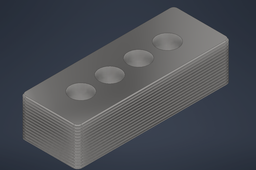
This tutorial explains the step-by-step working process of modelling the straight-four engine head which is available in the model section of my profile. This model will be fitted above the piston head and assembled on top of the lower engine block.
Patrick Ray Samperuru - 2106718306
-
Step 1: Setting Up Base Sketch
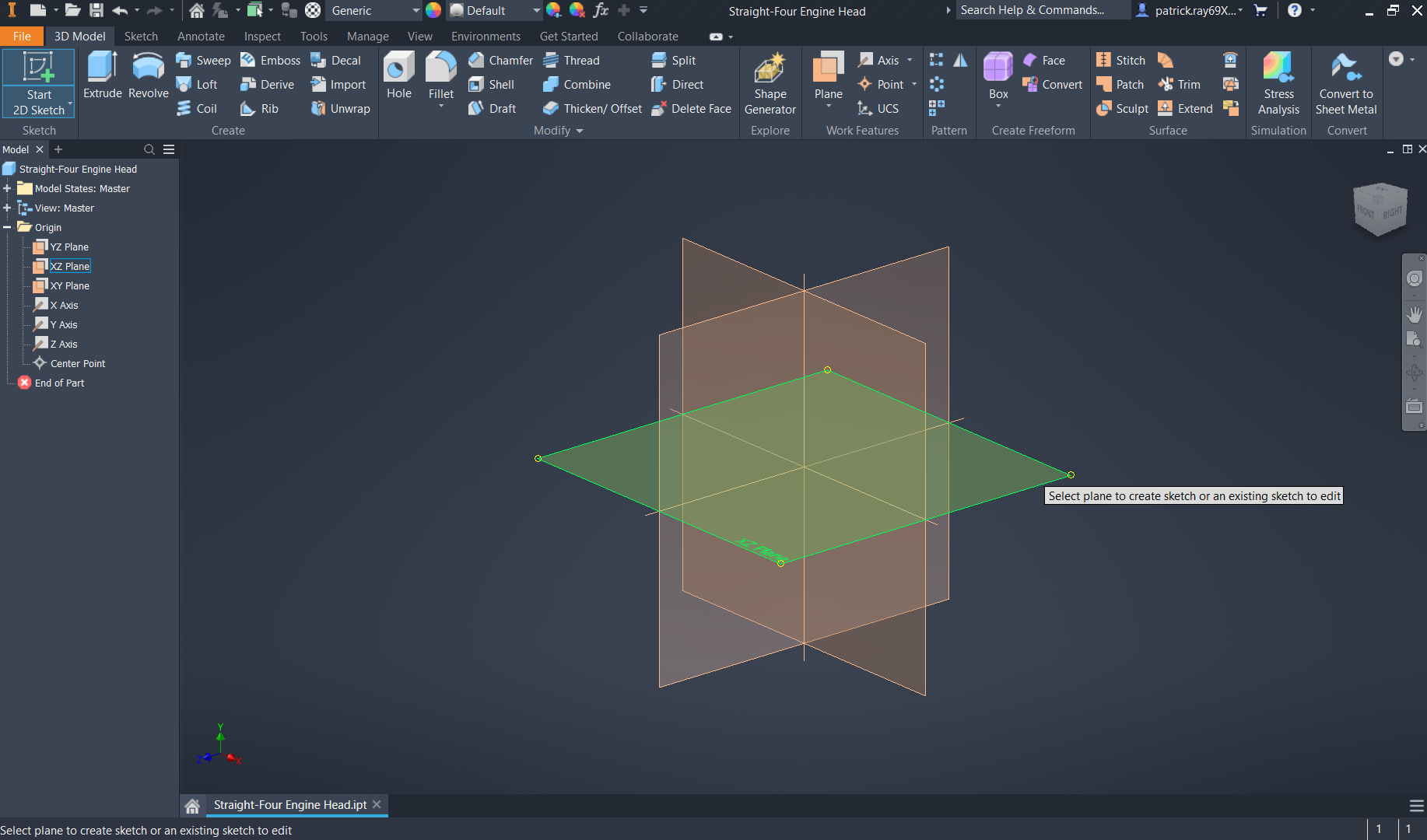
Create a new drawing with the mm as the dimensions, and start a new 2D sketch on the XZ plane.
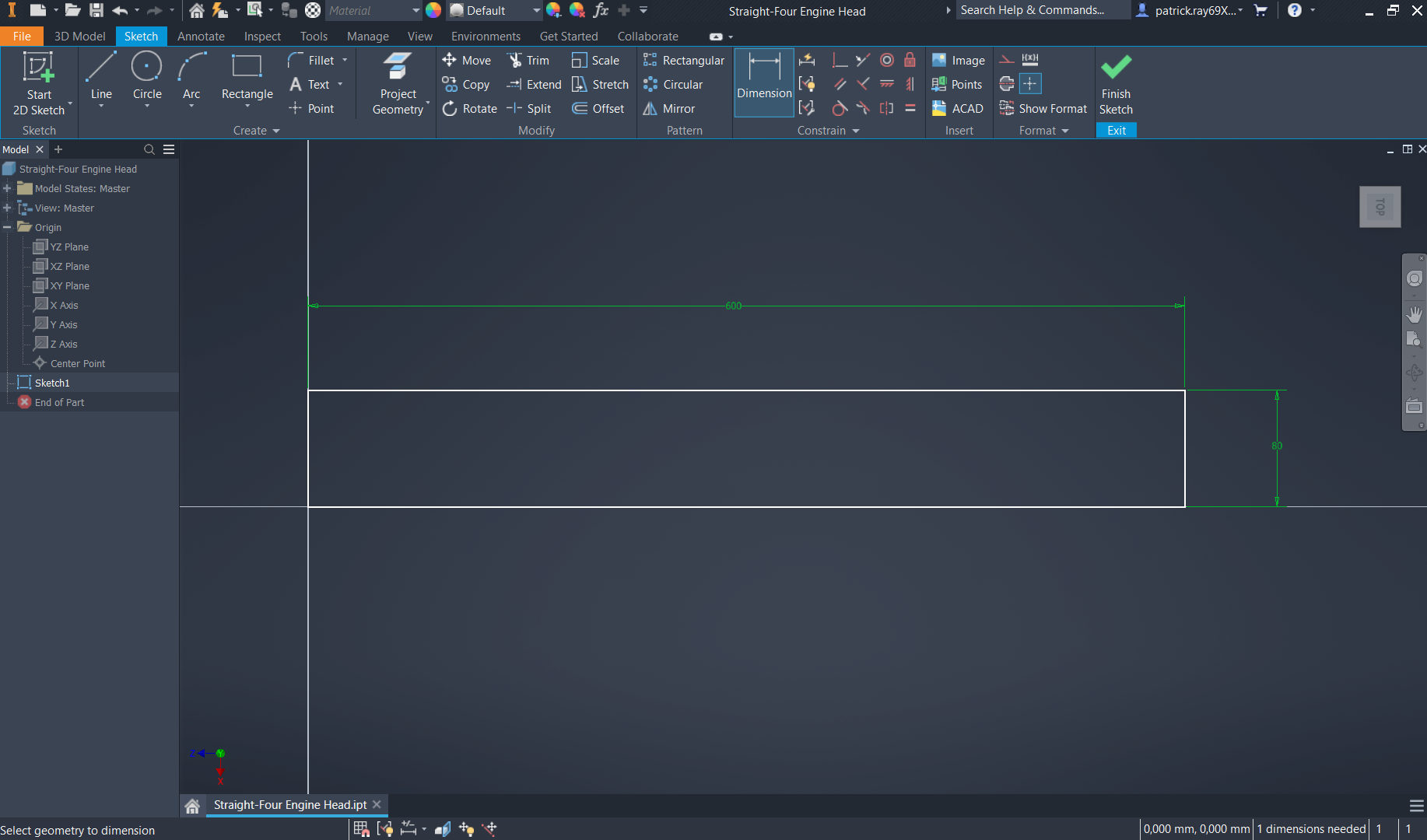
Sketch a rectangle from the origin point (0,0) either to the left or right, with the dimensions of 600mm for the length and 80mm for the width.
-
Step 2: Engine Head Base Sketch
On the x-axis, draw 4 circles with an identical diameter of 85mm. The distance between each circle does not matter in this sub-step.
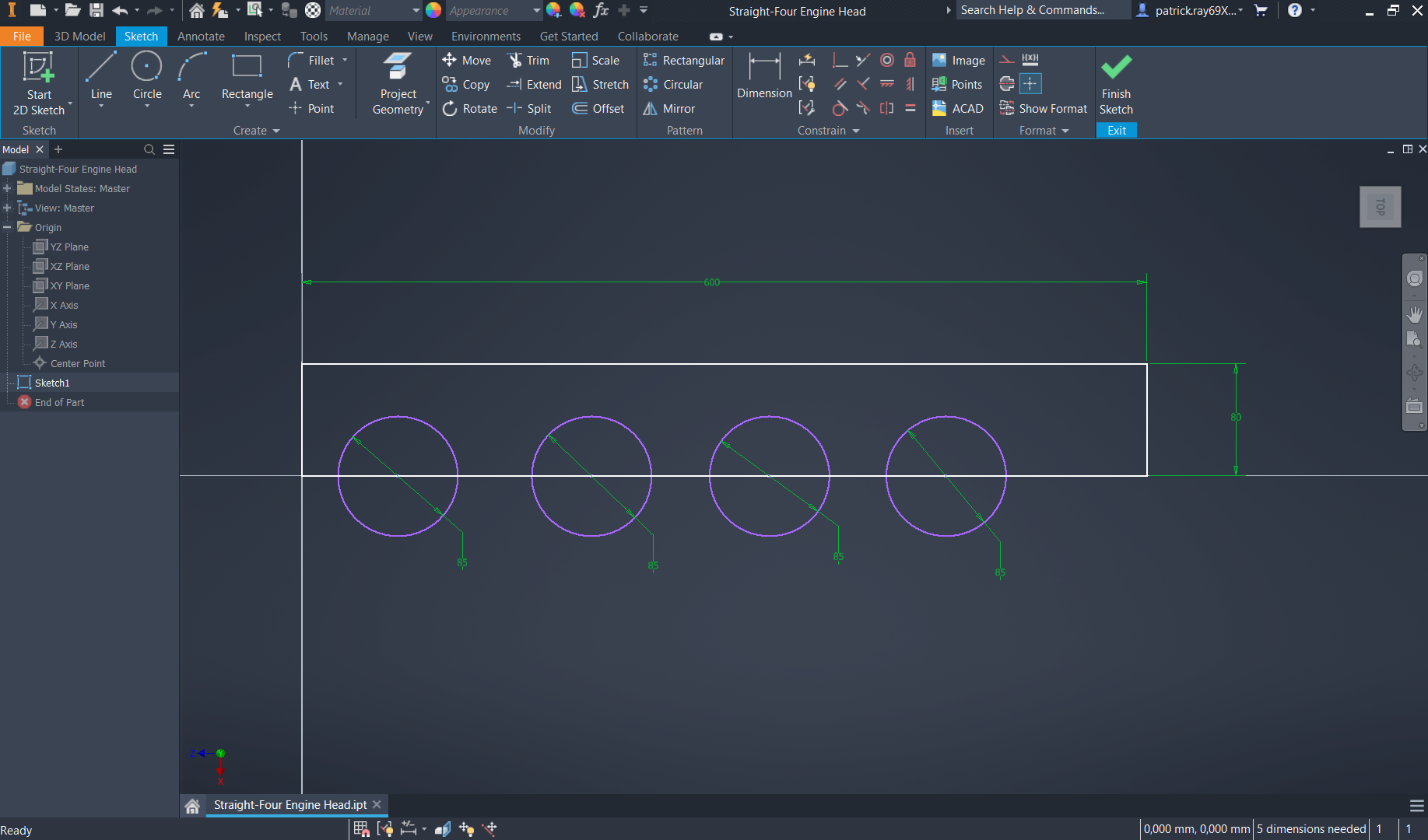
Set the dimension of the most-left circle of 94.5mm from its center point to the left edge of the rectangle. For the distance between each circle, set a dimension of 137mm. The dimension from the center point of the most-right circle to the right edge of the rectangle should also be 94.5mm.
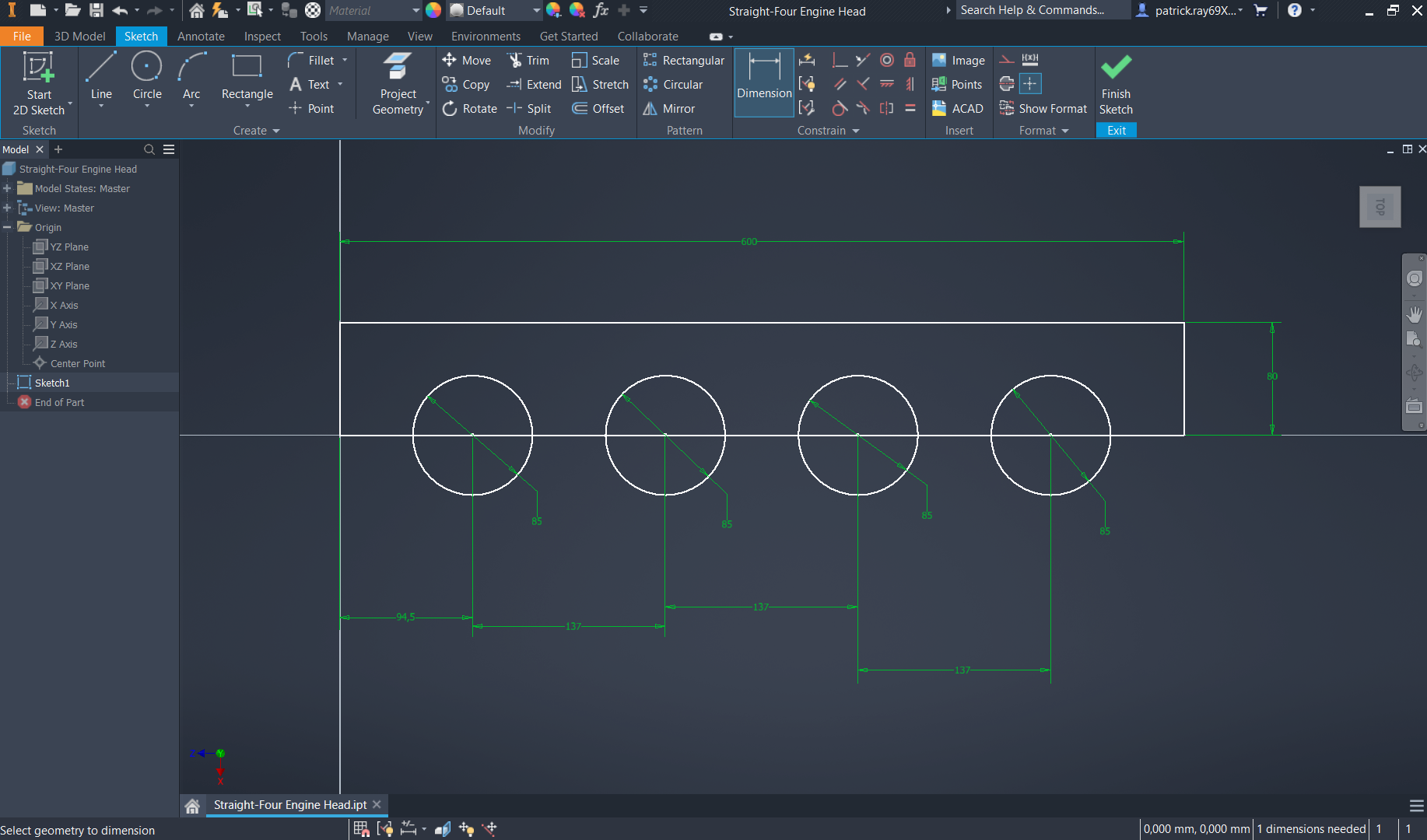
Select the "trim" command from the modify section of the sketch ribbon and select the 4 circles on the negative side of the x-axis to obtain semi-circles.

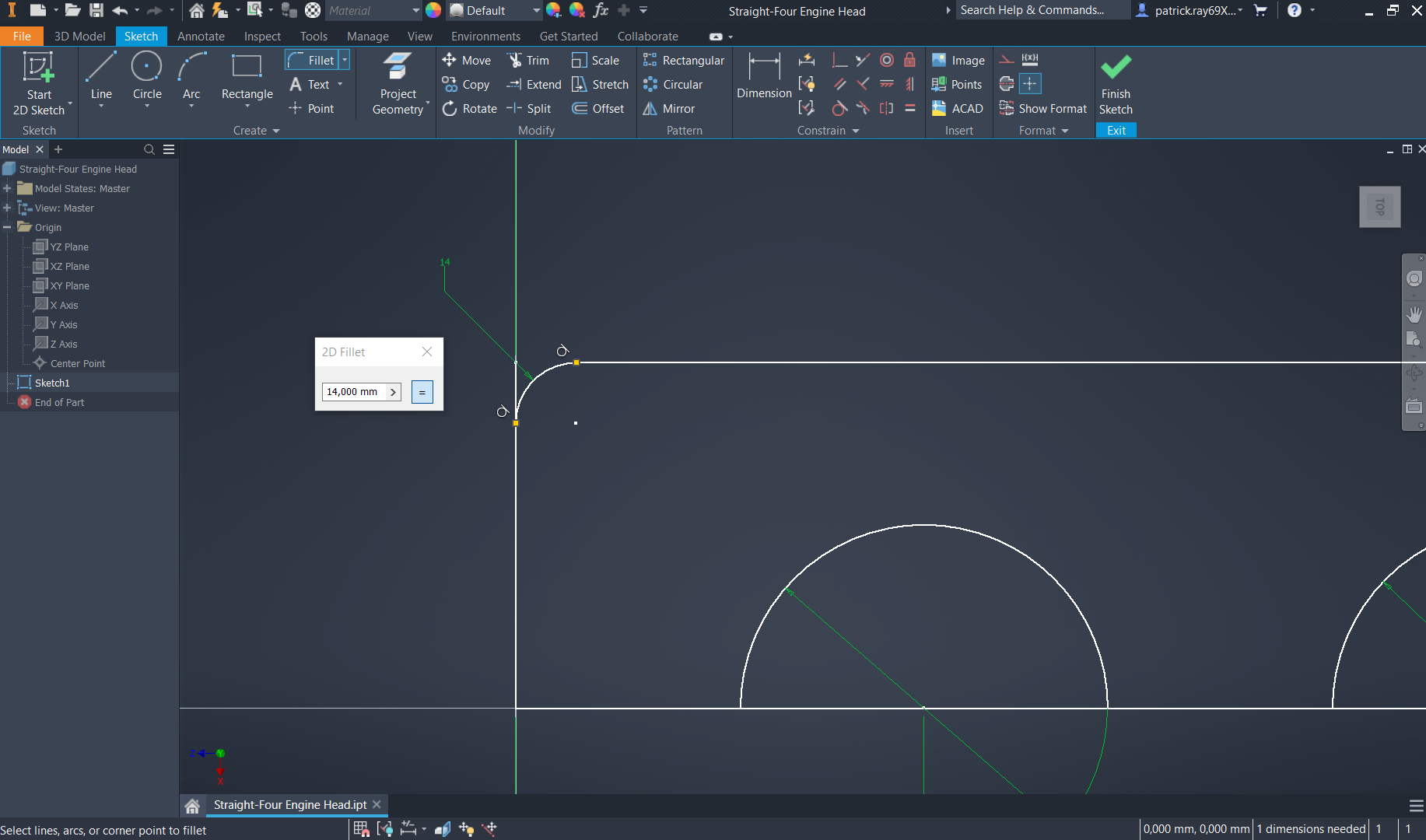
Create rounder edges on the rectangle's corners by selecting the "fillet" command and selecting both far corners. Set a fillet of 14mm to smoothen the curve.
-
Step 3: Engine Head Body Extrusion
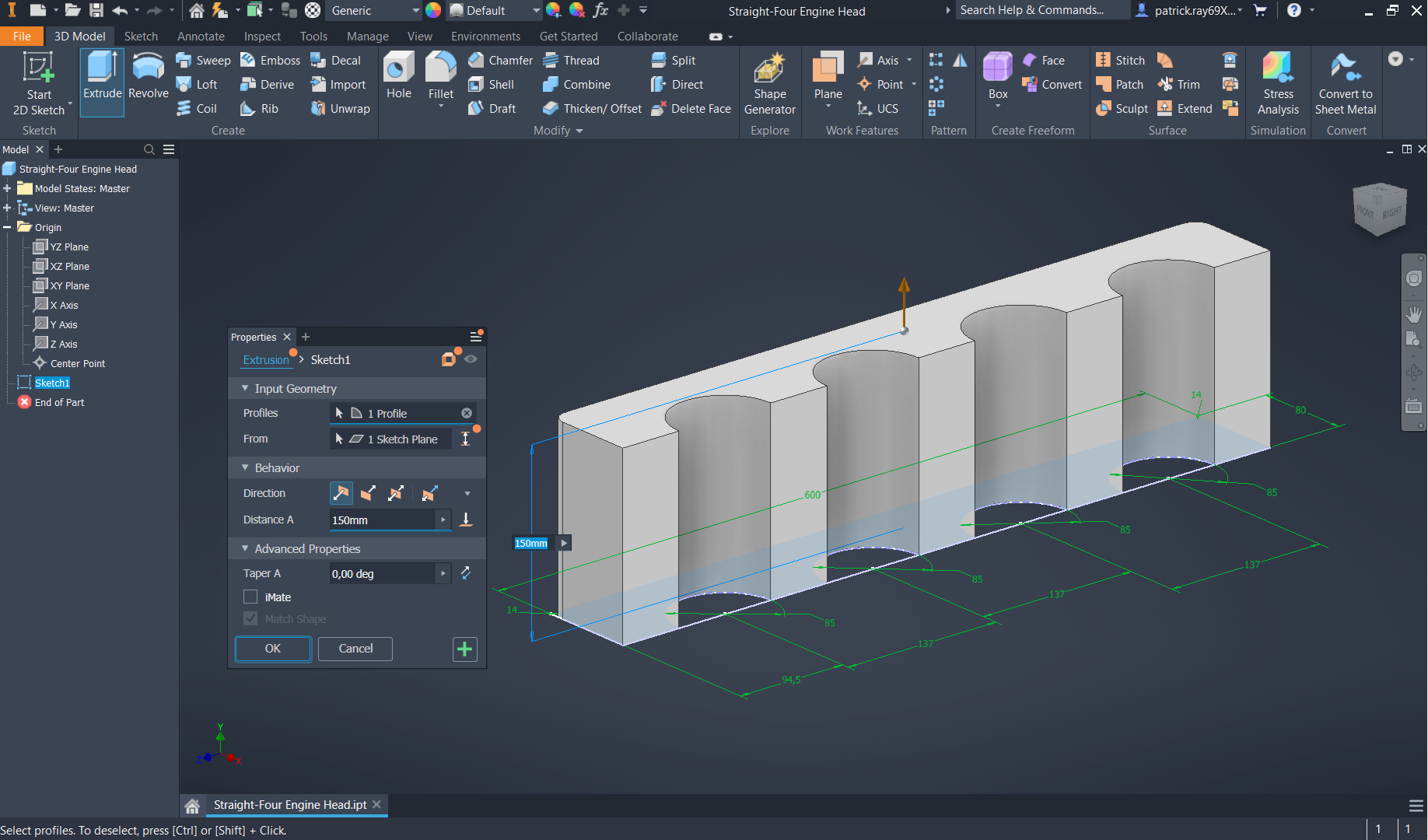
Select the "extrude" command on the create section of the 3D model to generate volume from the 2D sketch. Set a distance of 150mm and maintain the default direction.
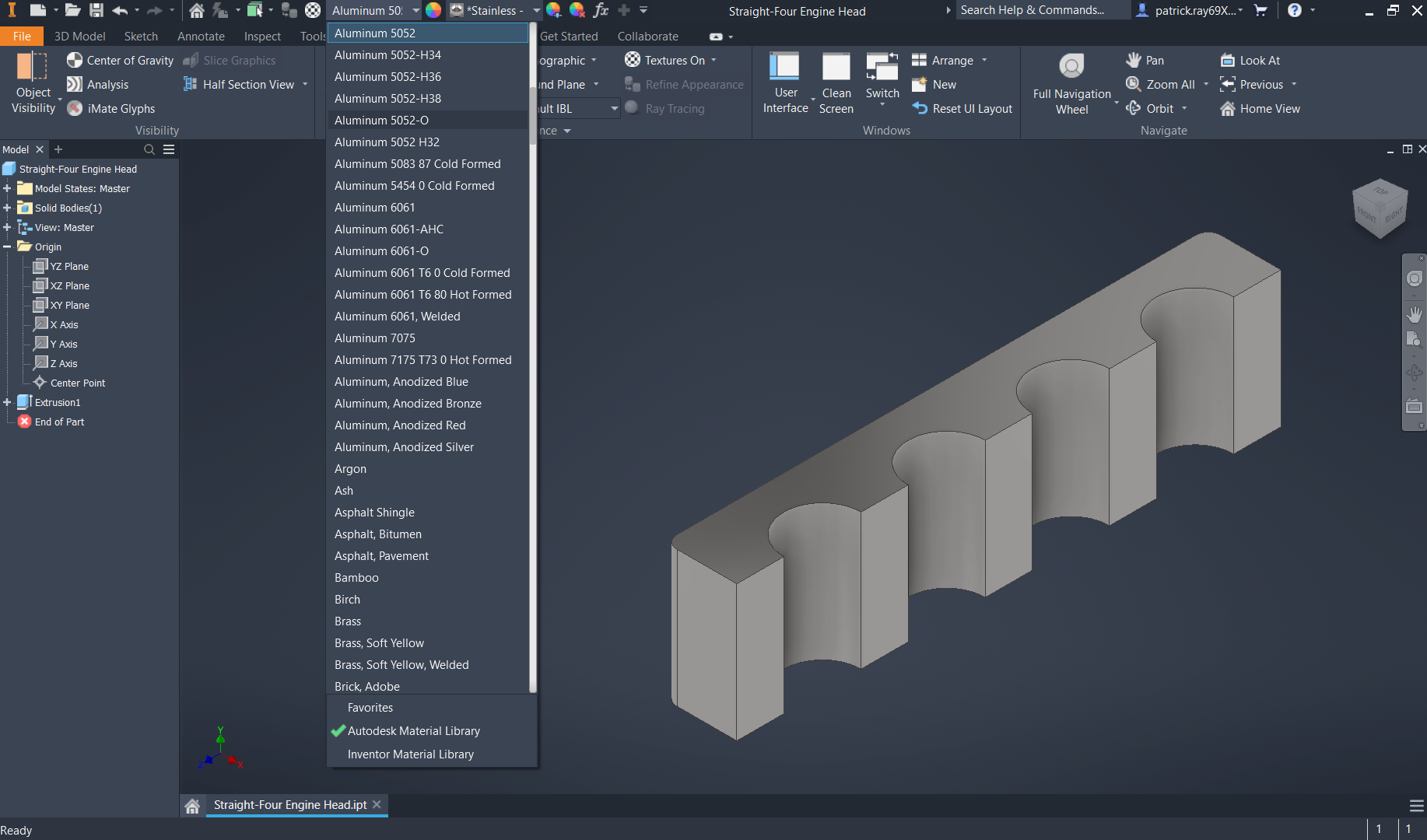
Change the appearance to "stainless - polished" or alternatively "steel - polished" and the material to "Aluminium 5052", which is an aluminium alloy with high wear resistance as well as weldability.
-
Step 4: Side Texture Sketch
Start a 2D sketch on the bottom of the created 3D sketch. Click on the "project geometry" command on the modify section and select all the outer edges.

Select the "offset" command on the modify section of the sketch ribbon and set the offset to 4mm.
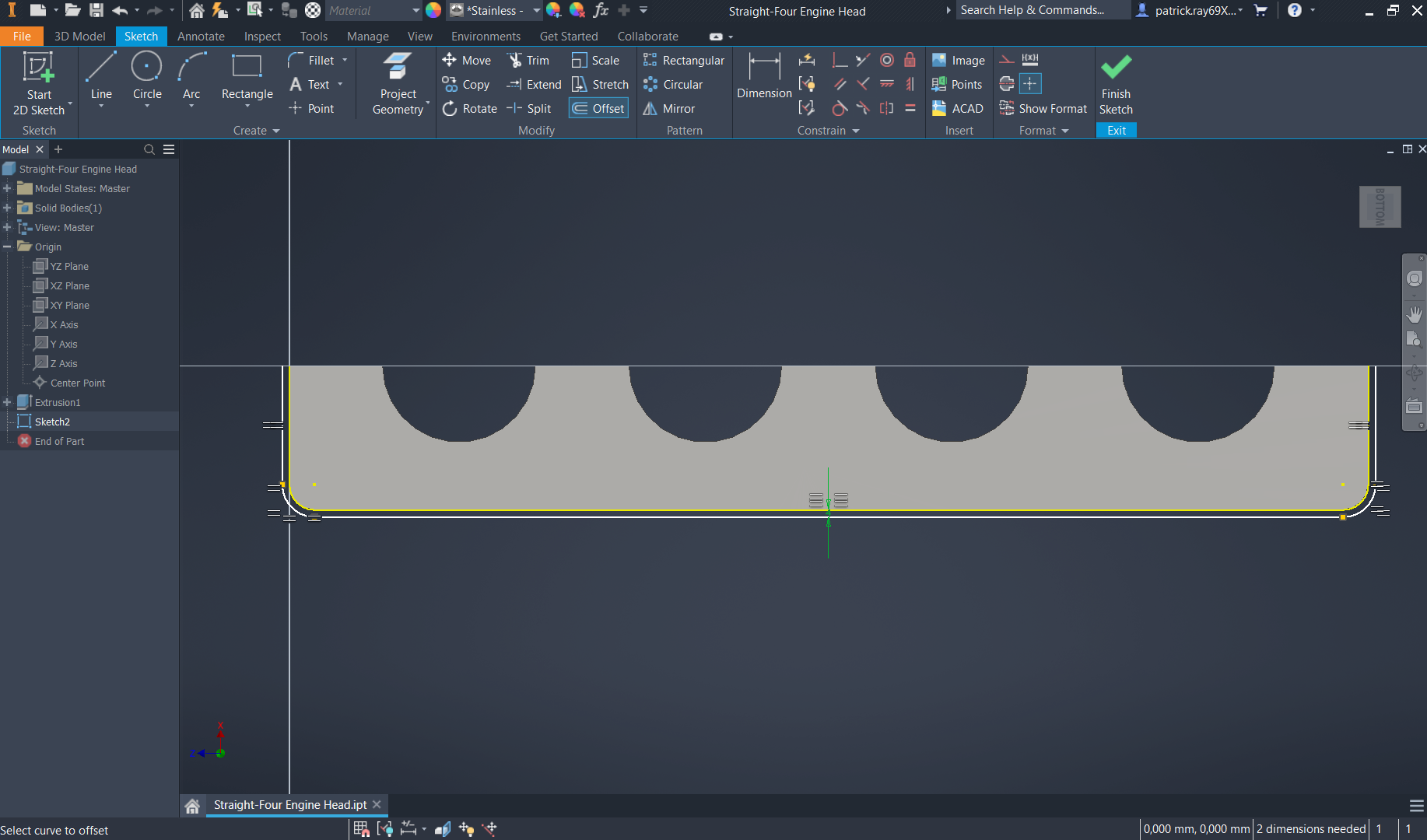
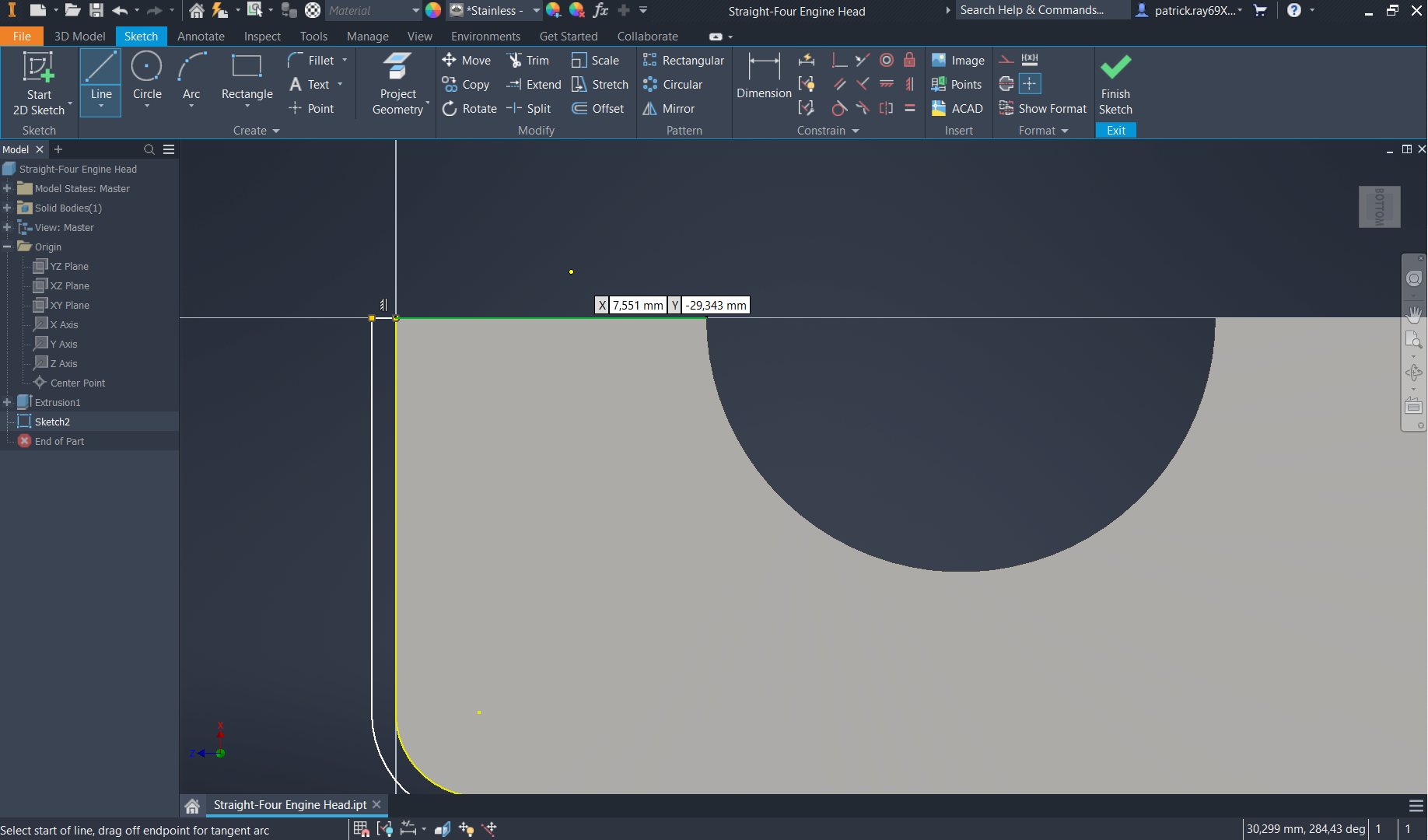
Create lines on the upper corners of the shape to connect the entirety of the sketch for extrusion on the next step.
-
Step 5: Side Texture Extrusion
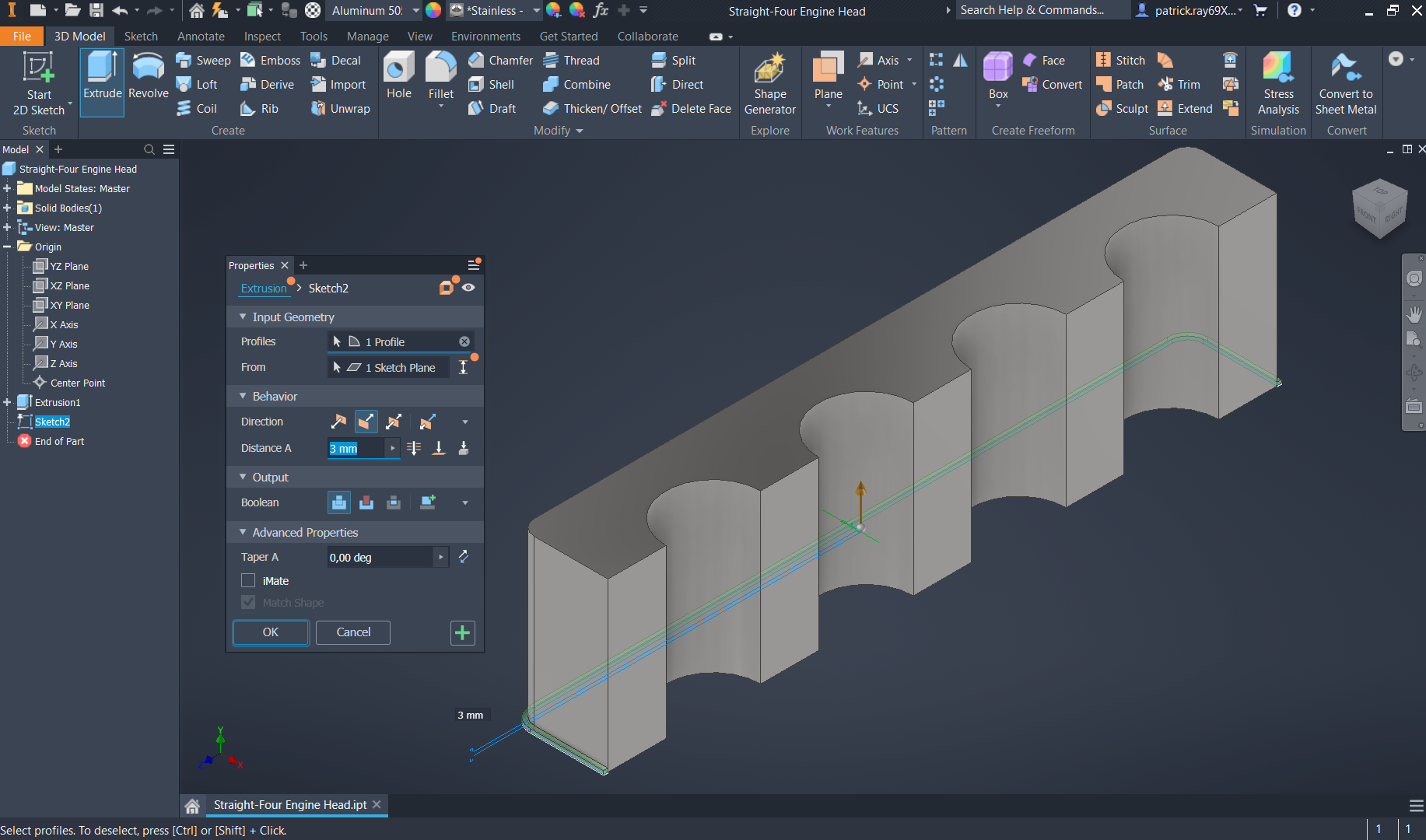
Extrude the created 2D sketch from the previous step with a distance of 3mm and a direction of "flipped".
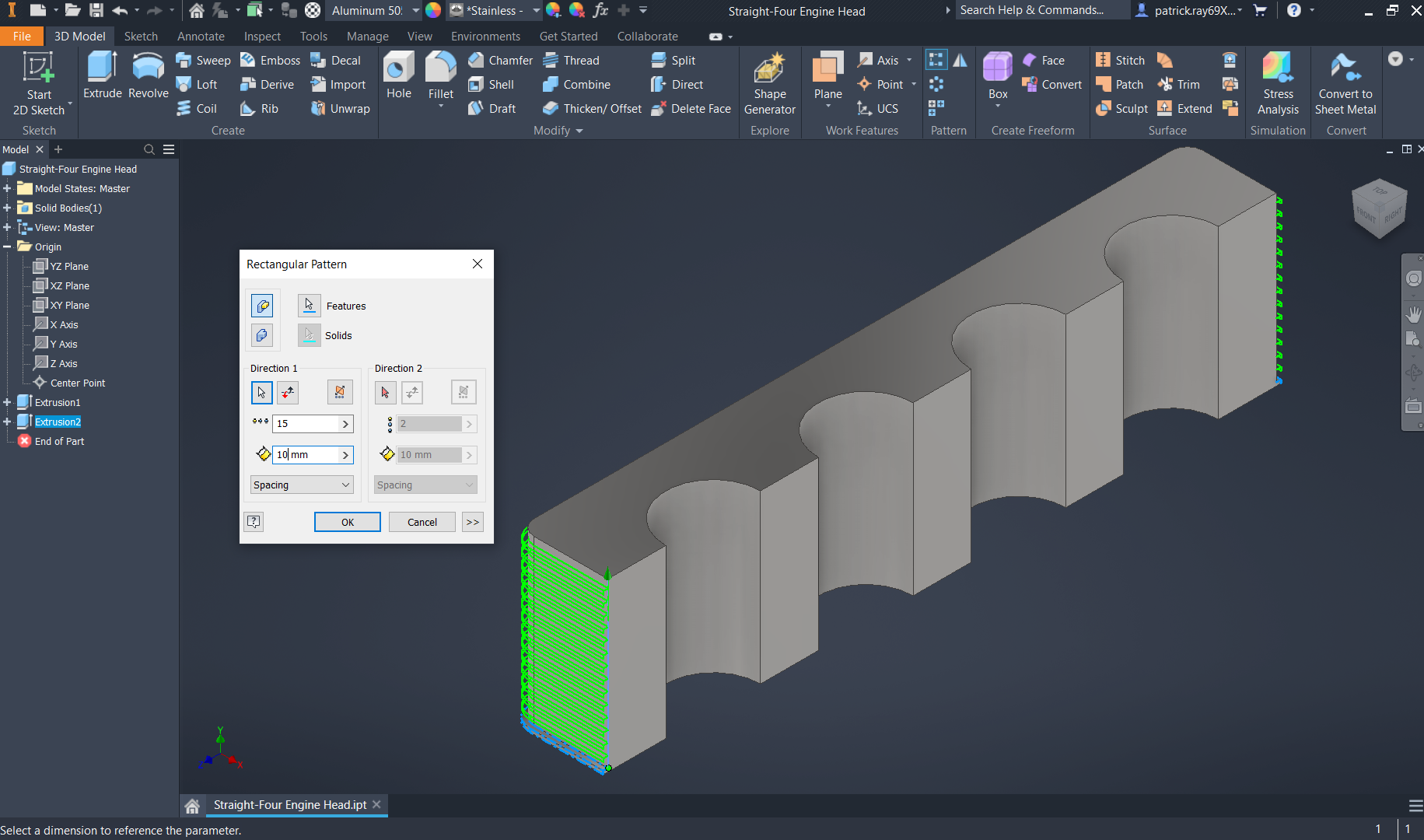
Select the "rectangular" pattern on the extruded shape. Set the direction by clicking on the vertical leg of the earlier extrusion (extrusion 1), with a repetition of 15 and a distance of 10mm.
-
Step 6: Model Review
Top isometric view of the engine head
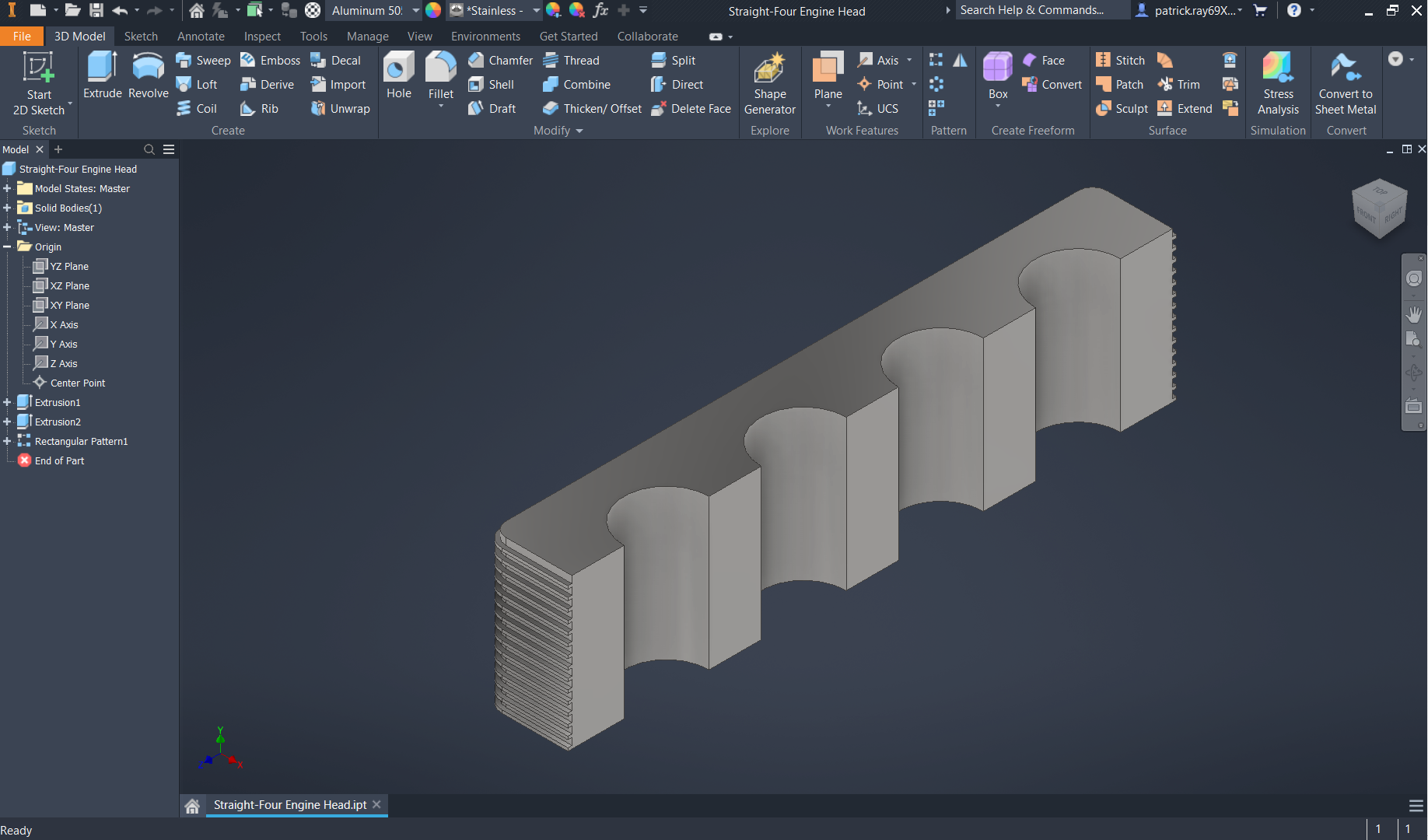
Bottom isometric view of the engine head


