Learn about the GrabCAD Platform
Get to know GrabCAD as an open software platform for Additive Manufacturing
Visit our new homepage
Home
Control
Shop
Streamline Pro
Partner Program
Print
Community
Log in
Library
Challenges
Groups
Questions
Tutorials
Engineers
Blog
Log in
David Lane
Follow
7
followers
Greenville, SC, United States
Tutorials
About
Models
10
Tutorials
1
More
Followers
7
Following
2
Likes
65
Following
2
Followers
7
Likes
65
Tutorials
Sort by:
Recent
Recent
Most liked
Most viewed
Most commented
Tutorial: How to perform a transient thermal analysis in SolidWorks
David Lane
in
Design & CAD
7
1
Beginner
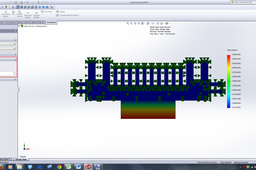
This is a tutorial for the 'Software Tricks of the Trade' Challenge found here http://grabcad.com/challenges/software-tricks-of-the-trade Note: This is CPU intensive. You can view the tutorial files on GrabCad here: http://grabcad.com/library/tutorial-how-to-perform-a-transient-thermal-analysis-in-solidworks-1 The ZIP files contains the parts and assembly that I used to create this tutorial as well as some addition images that may help you find commands within SolidWorks. It also has the analysis saved. You can download it from the project link or you can additionally download the attached ZIP file, directly from here. A thermal analysis can be used to study the effects that temperature has on components or assemblies. Using a transient analysis can show you how the temperature varies with time. This tutorial will help you understand the basics of performing a transient thermal analysis in SolidWorks. Knowledge of heat transfer is preferable when doing a study like this.
SOLIDWORKS
tipsntricks