Learn about the GrabCAD Platform
Get to know GrabCAD as an open software platform for Additive Manufacturing
Visit our new homepage
Home
Control
Shop
Streamline Pro
Partner Program
Print
Community
Log in
Library
Challenges
Groups
Questions
Tutorials
Engineers
Blog
Log in
Jay Raj
Engineering Head in a reputed MNC
Follow
Hire me
1
followers
India
Tutorials
About
Models
6
Tutorials
6
More
Followers
1
Following
0
Likes
0
Following
0
Followers
1
Likes
0
Tutorials
Sort by:
Recent
Recent
Most liked
Most viewed
Most commented
Auto Ballooning NX2007 (2022)
Jay Raj
in
Drafting
1
0
Intermediate
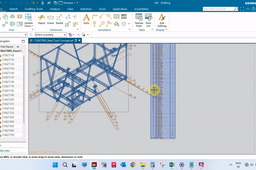
Hello Everybody, Welcome to Mech Dezignz. Today we will se how to add part list and add ballooning to the views in assembly. So lets begin... So this is in assembly format. So that we can do ballooning and drafting partwise... First of all we will go to drafting... So after putting the view we will go to part list... To set the length of the table we have to go to part list properties... So by increasing the height the contents can be adjusted in single table... Now for ballooning, we can add the auto balloon to any view which have been imported... So by right clicking and choosing show balloon we can do auto ballooning... We can adjust the balloons as required by stretching or double clicking to add or modify contents... Since this is latest NX some commands may be different than older version... Any queries can be carried on to the comments section... Thanks Have a nice day...
NX Unigraphics
reverse engineering
cad
nx
2d
3d
drafting
nx2022
nx2007
NX One Step Analysis
Jay Raj
in
FEM
0
0
Intermediate
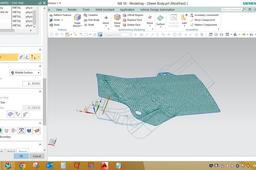
Hello everybody... Welcome to Mech Dezignz... Today we will learn about solving a blank of 3D model in NX... So I have a sheet body in NX window behind... First we will have to take middle surface of the part by offset command... Lets start... So here thickness in 2.5mm. so we will offset the surface at 1.25mm... So we have got the middle surface as required. Now for unforming a blank, we have a command One Step Anaysis in NX. So we will go to the said command now... And we select the middle surface of the part Now we will select the vector from which direction the unforming is needed... We also selected the material and provided the thickness of the part also... We can reduce the element size for more precise blank shape, but then time process will increase... Now since it is called one step analysis, we get many more results along with blank shape that is Thickness, Stress and Strain reports of the part. This will let us know about the feasablity of the part as well... Hope you liked the video If any query, please comment down... Thanks...
engineering
mechanical
blank simulation
blank
nx
cad
Forming Suite Tutorial
Jay Raj
in
Process Simulation
0
0
Intermediate
Hello everybody... Welcome to Mech Dezignz... Today we will learn how to open blank in FTI (Forming Suite)... For this we will have to take middle surface of any part and then convert it into iges format... I have made a middle surface for the process now... So lets start by opening forming suite now... Then we will provide material properties and thickness And then select middle surface (as we have used this surface for unforming)... Then process setup for meshing details, which will be auto-filled... Then select punch direction and select auto for auto selecting punch direction... Then providing next options we can get the blank definition... Then go for nesting option and provide offset as per requirement... Thus we will get the layout of the strip formed... There are various options for one up, two up and mirror... Also we will get the strip details and utilisation... The same can be exported as shown... Thanks...
blank
gross mass
strip layout
forming suite
Tube co-ordinates in 3D NX
Jay Raj
in
Modeling
0
0
Intermediate
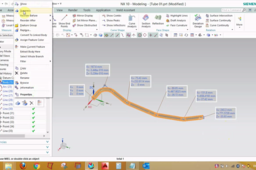
Good evening Everybody... Today We will see how to find intersection points in 3D model... This could be useful in reverse engineering and model correction... Ok then lets start the video... First we will make points and lines from the model as showing now... So we have made centre lines as in model... Now we will make instersecting points for the model... So the points have been created... The co-ordinates of these points are used in bending program as well... So lets see how to find co-ordinates of these points... This is how the co-ordinates of intersection points are taken in 3D model... Thanks...
NX Unigraphics
point set inspection
point measure
intersection points
bending points
reverse engineering
3d
nx
NX Fan Model and Simulation
Jay Raj
in
Process Simulation
2
0
Intermediate
NX Fan Model and Simulation
fan
motor
motion
simulation
unigraphics
nx
Siemens NX Extrude command Tutorial
Jay Raj
in
Modeling
0
0
Beginner
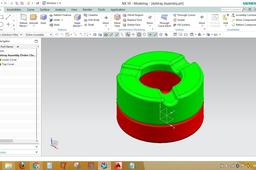
This video contains Extrude command details and usage as desired... Also a model of ashtray is made for reference on how to use the command...
NX Unigraphics
appliances
home
ashtray
extrude