Learn about the GrabCAD Platform
Get to know GrabCAD as an open software platform for Additive Manufacturing
Visit our new homepage
Home
Control
Shop
Streamline Pro
Partner Program
Print
Community
Log in
Library
Challenges
Groups
Questions
Tutorials
Engineers
Blog
Log in
N. Kumar
Follow
Hire me
2
followers
India
Tutorials
About
Models
0
Tutorials
41
More
Followers
2
Following
1
Likes
0
Following
1
Followers
2
Likes
0
Tutorials
Sort by:
Recent
Recent
Most liked
Most viewed
Most commented
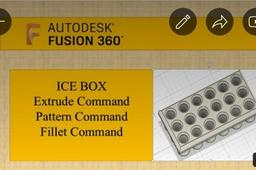
How to create an Ice tray in fusion 360
N. Kumar
in
Modeling
0
0
Beginner
Ice tray Extrude Shell Pattern Fillet commands
Fusion 360
autodesk
fusion 360
modeling
extrude
pattern
shell
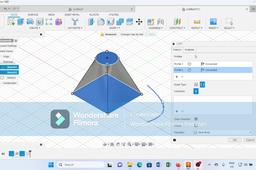
Loft command in fusion 360
N. Kumar
in
Modeling
5
0
Beginner
Loft command
Fusion 360
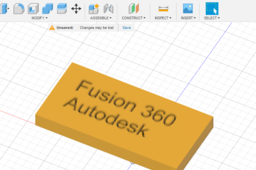
Emboss, Deboss Command in fusion 360
N. Kumar
in
Modeling
0
0
Beginner
Dear Viewers, A new command is introduced in fusion 360 that is used to emboss and deboss the features. #3dprinting #3dmodeling #3d #3dmodel #mechanical #mechanicalengineering #mbm #mbmu #jnvu #fusion360 #3dprinting #3dmodeling #Ampletechies #creators #creative #production #tensile #testing #plastics #astm #Industrial #research #development Telegram group Join for more discussion and videos https://t.me/+IfjCfFqrIOQ3M2Zl
Fusion 360
deboss
product design
onlinelearning
creative
beginners
fusion 360
emboss
3d modeling
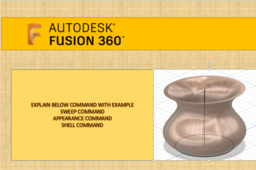
Sweep Command, Shell Command in fusion 360
N. Kumar
in
Modeling
2
0
Beginner
Dear Viewers, simplest way to explain sweep command, shell command , appearance. # fusion360 #Elearning #animation #3dmodeling #onlineeducation #autodesk #autocad #catia #solidworks #inventor #3Dprinting https://t.me/+IfjCfFqrIOQ3M2Zl Telegram group Join for more discussion and videos https://t.me/+IfjCfFqrIOQ3M2Zl
Fusion 360
simplest
autocad
audesk
appearance
sweep command
beginners
fusion 360
Modeling using image for ENGRAVING
N. Kumar
in
Modeling
1
0
Beginner
Modeling using image
Fusion 360
How to create a gear train
N. Kumar
in
Modeling
0
0
Beginner
Create gear train in fusion 360
Fusion 360
train
gear
beginner
How to create Bevel gear in fusion 360
N. Kumar
in
Modeling
0
0
Beginner
How to create Bevel gear in fusion360. https://youtu.be/nvpmJqzzKzI
Fusion 360
beginner
gears
gear
bevel
360
fusion
Simplest method to create a bevel gear in fusion 360 360
N. Kumar
in
Modeling
2
0
Beginner
Dear Viewers, This video will give you an insight to create bevel gear in fusion 360 in very simple way with the help of following command Spur gear Add-ins Loft command
Fusion 360
catia
helical
gears
spur
gear
bevel
autocad
autodesk
360
fusion
Simplest method of creating spur gear in fusion 360
N. Kumar
in
Modeling
2
1
Beginner
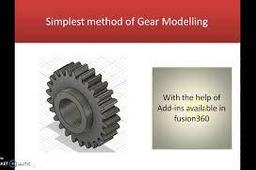
Dear learners, Here in this video we create a spur gear with the help of Add-Ins facility available in fusion 360. we required only module and no. of teeth to create spur gear with the help of Add-Ins in fusion 360. We used Module = 10 mm No of teeth = 26
Fusion 360
add-ins
catia
autocad
autodesk
gear
spur
create
method
simplest
360
fusion
Helical gear in fusion 360
N. Kumar
in
Modeling
1
0
Beginner
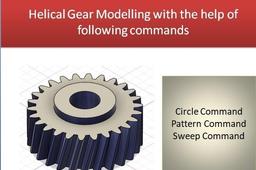
In this Tutorial we create a helical gear with the help of following command: Circle command Line Command Tangent constraint Pattern command Sweep command also discussed about terminology used in helical gear. for terminology of gear you can click on below link of spur gear. https://www.youtube.com/watch?v=NsKyL17LPrM Terminology used for gear are as follows Module(m) =PCD/No. of teeth=10 No of teeth(N) =26 Addendum(add) = 10 mm Dedendum (Ded)= 1.125XADD=11.25 PCD = m X no. of teeth = 10X26=260 Outside dia= PCD+2Xadd = 260+20 =280mm Inside dia = PCD -2 X Ded = 260 -2 X11.25= 237.5 mm Circular pitch = π X PCD /N = π X 260/26=31.4mm Tooth thickness = CP/2= 31.4/2 = 15.7 mm Pressure Angle = 20 degree Helix angle = 10 degree
Fusion 360
autodesk
modeling
3d
helical
3dmodels
spur
gears
fusion360
How to create Spur Gear in fusion 360
N. Kumar
in
Modeling
2
0
Beginner
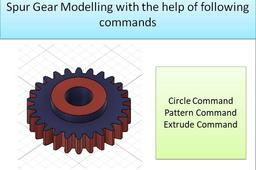
How can we create fusion 360 in fusion 360. Terminology used for gear are as follows Module(m) =PCD/No. of teeth=10 No of teeth(N) =26 Addendum(add) = 10 mm Dedendum (Ded)= 1.125XADD=11.25 PCD = m X no. of teeth = 10X26=260 Outside dia= PCD+2Xadd = 260+20 =280mm Inside dia = PCD -2 X Ded = 260 -2 X11.25= 237.5 mm Circular pitch = π X PCD /N = π X 260/26=31.4mm Tooth thickness = CP/2= 31.4/2 = 15.7 mm Pressure Angle = 20 degree
Fusion 360
3dmodels
3dmodeling
profile
involute
helical
gear
spur
gears
1
2
3