Learn about the GrabCAD Platform
Get to know GrabCAD as an open software platform for Additive Manufacturing
Visit our new homepage
Home
Control
Shop
Streamline Pro
Partner Program
Print
Community
Log in
Library
Challenges
Groups
Questions
Tutorials
Engineers
Blog
Log in
Sourabh Bhalke
Finding easy workflow for complex CAD designs
Follow
Hire me
27
followers
Germany
Tutorials
About
Models
28
Tutorials
1
More
Followers
27
Following
4
Likes
13
Following
4
Followers
27
Likes
13
Tutorials
Sort by:
Recent
Recent
Most liked
Most viewed
Most commented
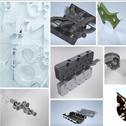
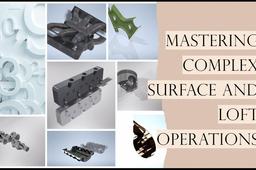
How to Execute Complex Surface and Loft Operations for an Air Turbo of a V6 Engine in Autodesk Inventor
Sourabh Bhalke
in
Assemblies
1
1
Beginner
In the world of automotive design, precision and complexity often go hand in hand. One such challenging task is creating the intricate geometry of an air turbo for a V6 engine. The process involves advanced surface modeling techniques and careful attention to detail. In this article, I’ll walk you through the steps I took to create an air turbo model using Autodesk Inventor, focusing on the key operations: 3D sketching, lofting, surface trimming ,stitching and other operations. * Please note that, although i have used Autodesk Inventor Professional 2024 to create this model, the language and narrative of this article is kept intentionally generalized so that you can use any other software to achieve similar results.
Autodesk Inventor
patch surface
trim surface
3d sketch
surface modeling
loft operation
v6 engine
air turbo
autodesk inventor