Learn about the GrabCAD Platform
Get to know GrabCAD as an open software platform for Additive Manufacturing
Visit our new homepage
Home
Control
Shop
Streamline Pro
Partner Program
Print
Community
Log in
Library
Challenges
Groups
Questions
Tutorials
Engineers
Blog
Log in
Learn from thousands of free Tutorials.
New user?
Join the community
or
log in.
Tutorials
Most liked all time
Recent
Most liked
Most viewed
Most commented
This week
This month
All time
Category
Design & CAD
Modeling
Drafting
Assemblies
BOM
Dimensioning / Tolerancing
Translations
Manufacturing & CAM
3D Printing
Tooling
NC Machining
Composites
Measurement / Inspection
Simulation & CAE
FEM
CFD
Kinematics
Process Simulation
Engineering Fundamentals
Theory
Process
Standards
Other
Software
Snagit
Alibre Design
ArchiCAD
AutoCAD
AutoCAD Electrical
Autodesk 3ds Max
Autodesk Alias
Autodesk Inventor
Autodesk Maya
Autodesk Revit
Autodesk 123D
BricsCAD
Bentley MicroStation
BlenderCAD
BobCAD-CAM
CATIA
Delmia
DraftSight
FreeCAD
Femap
Fusion 360
Geomagic Design
IronCAD
JT
Kompas-3D
KeyCreator
KeyShot
Lagoa
Luxology
Mastercam
Moi3D
NX Unigraphics
OBJ
Onshape
OpenSCAD
Parasolid
Powermill
Powershape
Pro/Engineer Wildfire
PTC Creo Parametric
PTC Creo Elements
Rhino
SpaceClaim
SOLIDWORKS
solidThinking Evolve
Solid Edge
SolidFace
STEP / IGES
SketchUp
STL
TopSolid
TinkerCAD
T-Flex CAD
TurboCAD
VectorWorks
ViaCAD 3D
VRML / WRL
ZW3D
Rendering
GrabCAD Print
GrabCAD Community
GrabCAD Workbench
Text file
3D Manufacturing Format
Cinema 4D
Other
Intermediate
All levels
Beginner
Intermediate
Expert
parameters
×
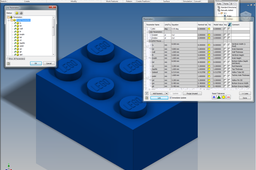
LEGO - 02 Building Bricks with Parameters
dk
in
Modeling
39
4
Intermediate
I don't get asked this but it is a very powerful tool and will make your life a lot easier. This also applies to other repetitive parts, not just LEGO bricks, and can be applied with the exact same methods.
Autodesk Inventor
parameters
lego
Designing Approximate Spur Gear in CATIA V5 (Method 2 of 4: Design Table from MS Excel)
William Harbin
in
Modeling
2
0
Intermediate
This BND TechSource video shows how to create a “template” part for an Approximate Spur Gear. The difference is; this template is controlled via an MS Excel spreadsheet. This part may be modified by simply changing the parameters of any/all of the following four formulae on the spreadsheet: z - number of teeth // real parameter [z = input] Rpa - Ref Pressure Angle // angle parameter [Rpa = input] m - module // length parameter [m = input] a – center to center distance [a = input] Next we will look at using Import Parameters (from .xls(x) or.txt file) to feed the parameter data and update the Spur Gear. https://bndtechsource.wixsite.com/home Excel Design Table: https://docs.google.com/spreadsheets/d/1cqqmNE9dxuM0XimnIWZSYKZfxsS0zwhj/edit?usp=sharing&ouid=114849995441101610372&rtpof=true&sd=true
CATIA
relations
parameters
table
design
v5
catia
How to Copy-Paste parameters from one part to another in Pro-E?
martin Cronje
in
Design & CAD
1
0
Intermediate
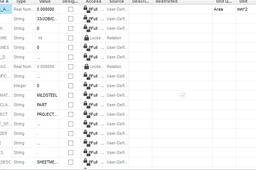
It doesn't the parameters if there is a parameter which has a restriction. I've deselected those parameters and copy and paste the rest into the part. You will have to create the restricted parameters yourself.
Pro/Engineer Wildfire
values
paste
parameters
copy
proe
pro
pro-e
CATIA V5 Document Template
Jeffrey Roark
in
Modeling
1
0
Intermediate
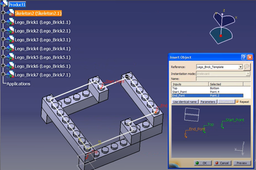
Document Templates are very powerful tools that can ensure design standards are replicated as intended by an expert engineer. Further, they are time savers. Templates can morph on instantiation based on inputs and context of the new product design. In terms of Product Lifecycle management, Product Templates can be instantiated as New Components. Product Templates can represent a single component or an assembly of components. In addition, multi discipline models such as NC Toolpaths, Drawings, FEA Analysis models can be associated and up along with the morphed result of an instantiated templates. Product Templates are extremely powerful tools! Contact me for more information: jroark31@yahoo.com https://youtu.be/7iIFU1sC_FY
CATIA
ekl
automation
design
check
rule
template
parameters
knowledgeware
[VIDEO] Parameters, Table, Rules, Catalog, CATIA 3DXP
Maxime Chagnot
in
Modeling
1
1
Intermediate
Hi all, here is our first Live Demonstration of the 3DExperience 16X on Cloud! This demonstration comes from one of our customer case. We helped and shown him how to design a parametric sheetmetal table.
CATIA
demo
3dexperience
script
catalog
rules
parameters
table
catia
Designing Approximate Spur Gear in CATIA V5 (Method 3 of 4: import data from .xls(x) or .txt file)
William Harbin
in
Modeling
0
0
Intermediate
This BND TechSource video shows how to create a “template” part for an Approximate Spur Gear. The difference is; this template is based upon a one time feed of data via an .xls(x) or .txt file and must be re-imported for every modification. This part may be modified changing the parameters of any/all of the following three formulae on the .xls(x) or .txt file: z - number of teeth // real parameter [z = input] Rpa - Ref Pressure Angle // angle parameter [Rpa = input] m - module // length parameter [m = input] Next we will look at using CATIA Macro + Import Parameters (from .xls(x) or.txt file) to feed the parameter data and update the Spur Gear. https://bndtechsource.wixsite.com/home .xlsx file: https://docs.google.com/spreadsheets/d/1cqqmNE9dxuM0XimnIWZSYKZfxsS0zwhj/edit?usp= .txt file - [m_3-Rpa_20-z_40]: https://drive.google.com/file/d/1t42oaimtwS7LBc7eos5YS9bWjcmjcfeq/view?usp=sharing .txt file - [m_3-Rpa_20-z_25]: https://drive.google.com/file/d/1csdQHt3jfLTE04kCkv03itM05oj0OYQc/view?usp=sharing
CATIA
relations
parameters
data
import
v5
catia
Designing Approximate Spur Gear in CATIA V5 (Method 1 of 4: manual input)
William Harbin
in
Modeling
0
2
Intermediate
This BND TechSource video shows how to create a “template” part for an Approximate Spur Gear. This part may be modified by simply changing the parameters of any/all of the following three formulae: 1) z - number of teeth // real parameter [z = input] 2) Rpa - Ref Pressure Angle // angle parameter [Rpa = input] 3) m - module // length parameter [m = input] Next we will look at using Design Table (from MS Excel) to feed the parameter data and update the Spur Gear. https://bndtechsource.wixsite.com/home
CATIA
relations
parameters
gear
spur
v5
catia
Use Sketches as Calculators
ROTHMECH
in
Dimensioning / Tolerancing
0
0
Intermediate
Using Autodesk Inventor sketches as design calculators.
Autodesk Inventor
tool
inventor
autodesk
parameters
design
calculator
sketch