Learn about the GrabCAD Platform
Get to know GrabCAD as an open software platform for Additive Manufacturing
Visit our new homepage
Home
Control
Shop
Streamline Pro
Partner Program
Print
Community
Log in
Library
Challenges
Groups
Questions
Tutorials
Engineers
Blog
Log in
Learn from thousands of free Tutorials.
New user?
Join the community
or
log in.
Tutorials
Most liked all time
Recent
Most liked
Most viewed
Most commented
This week
This month
All time
Category
Design & CAD
Modeling
Drafting
Assemblies
BOM
Dimensioning / Tolerancing
Translations
Manufacturing & CAM
3D Printing
Tooling
NC Machining
Composites
Measurement / Inspection
Simulation & CAE
FEM
CFD
Kinematics
Process Simulation
Engineering Fundamentals
Theory
Process
Standards
Other
Software
Snagit
Alibre Design
ArchiCAD
AutoCAD
AutoCAD Electrical
Autodesk 3ds Max
Autodesk Alias
Autodesk Inventor
Autodesk Maya
Autodesk Revit
Autodesk 123D
BricsCAD
Bentley MicroStation
BlenderCAD
BobCAD-CAM
CATIA
Delmia
DraftSight
FreeCAD
Femap
Fusion 360
Geomagic Design
IronCAD
JT
Kompas-3D
KeyCreator
KeyShot
Lagoa
Luxology
Mastercam
Moi3D
NX Unigraphics
OBJ
Onshape
OpenSCAD
Parasolid
Powermill
Powershape
Pro/Engineer Wildfire
PTC Creo Parametric
PTC Creo Elements
Rhino
SpaceClaim
SOLIDWORKS
solidThinking Evolve
Solid Edge
SolidFace
STEP / IGES
SketchUp
STL
TopSolid
TinkerCAD
T-Flex CAD
TurboCAD
VectorWorks
ViaCAD 3D
VRML / WRL
ZW3D
Rendering
GrabCAD Print
GrabCAD Community
GrabCAD Workbench
Text file
3D Manufacturing Format
Cinema 4D
Other
Intermediate
All levels
Beginner
Intermediate
Expert
reverse
×
Reverse Engineering: Power Fit
Maxime Chagnot
in
Modeling
8
0
Intermediate
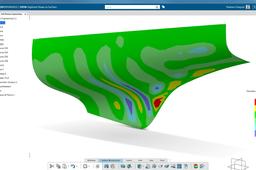
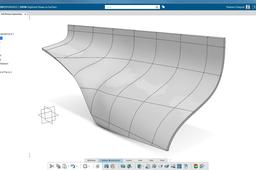
This video shows you how to transform a cloud mesh (based on a "STL" file) into a proper surface. It is a reverse engineering topic where you have a hull that you cannot work on. With the dedicated Digitized Shape applications, you can transform this mesh into a surface using the PowerFit feature. You will obtain a surface that is very near from the original mesh, with a maximal deviation of 0.972 mm.
CATIA
hull
3dexperience
fit
power
engineering
reverse
catia
#Solidworks E-Bike Battery Modelling From Blueprints | Part - 2
Mohit
in
Modeling
3
0
Intermediate
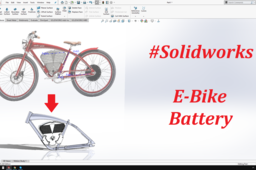
Detailed tutorial on E-Bike Battery Modelling from Side view. #Solidworks #3dprinting #CADMOHIT #Grabcad #Surfacing Vintage Electric - Tracker. Thank You.
SOLIDWORKS
cycle
mechanical
engineer
reverse
product
battery
ebike
solidworks
Bottle - PowerShape Reverse Engineering workflow
Didi Widya Utama
in
Modeling
2
0
Intermediate
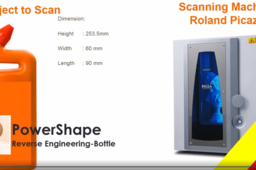
This video shows workflow of Reverse Engineering Process, start from scanning the physical model and surface creation in Powershape. the scanner i used was Roland Picza 3D scanner if someone interested to learn and try , i could send you the stl scanned data file , just write your request in the comments below hope it, enjoy a happy learning. thanks
Powershape
powershape
engineering
reverse
study
learning
modeling
3d
tutorial
Slicing Tool l Reverse Engineering l SolidWorks 2020
jehan kothari
in
Modeling
2
0
Intermediate
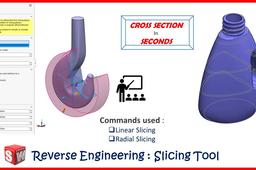
If you are into reverse engineering, then this tool you shouldn't miss out :) Apart from that also there can be many application of this tool in native file itself! #3d #Modeling #SolidWorks #SW2020 #ParametricModeling #SWTutorial
SOLIDWORKS
section
cross
tutorial
engineering
reverse
slicing
3d
solidworks
[VIDEO] Reverse Engineering: Surface Network
Maxime Chagnot
in
Modeling
1
0
Intermediate
This video shows you how to transform a cloud mesh (based on a "STL" file) into a proper surface. It is a reverse engineering topic where you have a hull that you cannot work on. With the dedicated Digitized Shape applications, you can transform this mesh into a surface using the Surfaces Network feature. This method is different from the PowerFit, you create a grid on the mesh, that you fill with small patches. This procedure is less automated, so you need to join and heal the patches together.
CATIA
network
surface
3dexperience
hull
rebuild
engineering
reverse
catia
How to Intersection curve Facet model with surface?
Sebi
in
Design & CAD
0
0
Intermediate
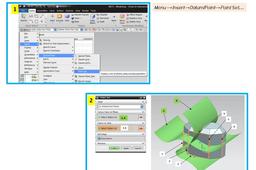
Hi, I had this problem after several years working in ProE / WF. In UG/NX the philosophy is different. Usually the intersection between any curve and any surface is one or more points. (It can be an other curve(s) if one or more portion(s) of curve they are included in the surface but this is other case.) Therefore these intersection(s) are obtained by creating a point / point set using "Intersection" option. I hope to be clearer in the attached presentation. Good luck, Sebi
NX Unigraphics
reverse
scan
stl
nx
SolidWorks Surfacing Video Tutorial Part - 4 - Modeling a telephone receiver in SolidWorks
Sudhir Gill
in
Modeling
0
0
Intermediate
In this video tutorial we will model a telephone receiver using surfacing tools in SolidWorks
SOLIDWORKS
cadgill
surface
tutorials
video
engineering
reverse
receiver
telephone
modeling
surfacing
solidworks