Learn about the GrabCAD Platform
Get to know GrabCAD as an open software platform for Additive Manufacturing
Visit our new homepage
Home
Control
Shop
Streamline Pro
Partner Program
Print
Community
Log in
Library
Challenges
Groups
Questions
Tutorials
Engineers
Blog
Log in
VR DESIGNER
AUTOMIBLE ENGINEER
Follow
Hire me
132
followers
PUNJAB, India
Tutorials
About
Models
56
Tutorials
49
More
Followers
132
Following
0
Likes
1
Following
0
Followers
132
Likes
1
Tutorials
Sort by:
Recent
Recent
Most liked
Most viewed
Most commented
DC MOTOR || ROTOR || BALL BEARING || PART MODELING || 3D MODELING || ASSEMBLY || NX SIEMENS
VR DESIGNER
in
Modeling
1
0
Intermediate
Welcome to this detailed CAD tutorial where I walk you through the complete process of 3D modeling a DC Motor in Siemens NX. In this video, you’ll learn how to create each component with precision, apply the right constraints, and assemble everything into a fully functional motor model. Whether you’re a mechanical engineering student, CAD enthusiast, or NX Siemens learner, this tutorial will help you improve your modeling skills and understand the workflow for designing electromechanical components. 📌 What You’ll Learn in This Video: - Sketching the rotor, stator, shaft & housing - Creating complex features with NX modeling tools - Using Boolean operations & parametric edits - Assembling all components into a complete DC motor - Adding exploded views & rendered visuals If you find this helpful, don’t forget to Like, Share & Subscribe for more CAD modeling tutorials and engineering content! 📐 Software Used: Siemens NX (Unigraphics NX) 🎯 Skill Level: Beginner to Intermediate 🎓 Ideal For: Engineering Students | CAD Designers | Product Developers
NX Unigraphics
electrical component
3d cad tutorial
automotive part tutorial
assembly tutorial
dc motor tutorial
cad tutorial
nx tutorial
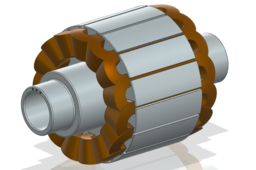
DC MOTOR ROTOR || 3D & PART MODELING || NX SIEMENSDC MOTOR ROTOR || 3D & PART MODELING || NX SIEMENS
VR DESIGNER
in
Modeling
3
0
Intermediate
In this video, I demonstrate the step-by-step process of designing a DC Motor Rotor using Siemens NX. The tutorial covers sketch creation, dimensional constraints, feature modeling, shaft design, slot creation, and final detailing. This video is perfect for mechanical engineering students, CAD learners, and professionals who want to enhance their NX modeling skills. You will learn: ✔ How to create accurate sketches for rotor geometry ✔ Feature-based modeling techniques in Siemens NX ✔ Design workflow for rotor core, shaft, and slots ✔ Tips for clean, parametric, and professional modeling ✔ How to prepare your model for drafting and assembly If you find this helpful, don’t forget to Like, Share & Subscribe for more CAD modeling tutorials and engineering content! 📐 Software Used: Siemens NX (Unigraphics NX) 🎯 Skill Level: Beginner to Intermediate 🎓 Ideal For: Engineering Students | CAD Designers | Product Developers
NX Unigraphics
3d modeling
motor component tutorial
mechaincal component
coil winding tutorial
motor rotor tutorial
cad modeling tutorial
nx tutorial
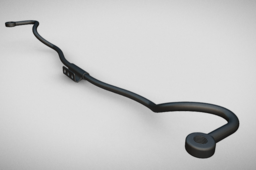
TORSION ROD || SUSPENSION || CAD MODEL || PART & 3D MODELING || NX SIEMENS
VR DESIGNER
in
Modeling
1
0
Intermediate
In this video, we’ll create a detailed 3D model of a Torsion Rod using Siemens NX step by step. Learn how to use advanced features like sweep, mirror, edge blend, and unite to design precise automotive suspension components. Perfect for mechanical engineers, CAD designers, and students looking to improve their modeling skills and understand real-world component design. 💡 What you’ll learn: ✅ How to create sketches and curves for the rod geometry ✅ Using sweep and extrude features effectively ✅ Mirror and blend operations for symmetry and smoothness ✅ Industrial-level part design best practices 🧠 Software Used: Siemens NX
NX Unigraphics
mechanical engineering
automobile engineering
nx siemens
nx tutorial
cad model
cad tutorial
suspension tutorial
torsion bar tutorial
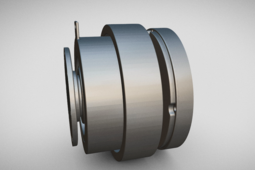
ELECTROMAGNETIC CLUTCH || MAGNETIC CLUTCH || 3D MODELING || PART MODELING & ASSEMBLY || NX SIEMENS
VR DESIGNER
in
Modeling
2
1
Intermediate
In this video, we’ll create a detailed 3D model of an Electromagnetic Clutch using Siemens NX CAD software. This tutorial demonstrates the complete design process — from part modeling to assembly — with a focus on precision, realistic representation, and mechanical functionality. Whether you’re a mechanical design engineer, CAD enthusiast, or student, this video will help you understand the key design considerations and workflow for complex mechanical components in NX Siemens. 🎯 Topics Covered: Introduction to Electromagnetic Clutch components - Part modeling using NX features - Assembly and constraints setup - Design visualization and rendering tips 📐 Software Used: Siemens NX (Unigraphics NX) 🎯 Skill Level: Beginner to Intermediate 🎓 Ideal For: Engineering Students | CAD Designers | Product Developers Don’t forget to Like 👍 | Share 🔗 | Subscribe 🔔 for more NX CAD tutorials on automotive & mechanical components.
NX Unigraphics
cad model
electromagnetic clutch tutorial
automotive part
mechanical engineering
cad tutorial
nx tutorial
electromagnetic clutch
clutch tutorial
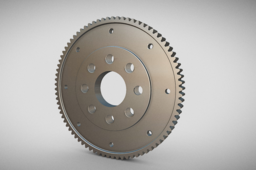
FLYWHEEL || ENGINE PART || 3D & PART MODELING || NX SIEMENS
VR DESIGNER
in
Modeling
3
0
Intermediate
In this video, we’ll create a detailed 3D model of a Flywheel using Siemens NX — covering every essential step from sketching and dimensioning to part modeling and final visualization. This tutorial is perfect for mechanical engineers, CAD designers, and students who want to enhance their skills in NX Siemens 3D modeling. You’ll learn how to: - Design a Flywheel with accurate proportions - Apply constraints and features effectively - Use extrude, revolve, fillet, and hole tools Visualize and render the model for presentations or manufacturing documentation Watch till the end to master flywheel modeling in Siemens NX and improve your mechanical design portfolio. 📐 Software Used: Siemens NX (Unigraphics NX) 🎯 Skill Level: Beginner to Intermediate 🎓 Ideal For: Engineering Students | CAD Designers | Product Developers
NX Unigraphics
automobile engineering
mechanical engineering
automotive part design
3d modeling
part modeling
nx siemens tutorial
nx cad tutorial
flywheel tutorial
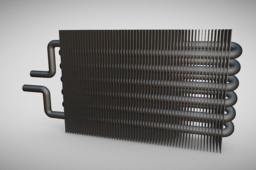
RADIATOR || HEAT EXCHANGER || 3D & PART MODELING || NX SIEMENS
VR DESIGNER
in
Modeling
1
0
Intermediate
In this video, we demonstrate the complete CAD modeling of a Radiator using Siemens NX. The tutorial covers step-by-step design techniques, starting from the basic sketching to creating the final 3D model of the radiator. We focus on key CAD features such as: - Creating 2D sketches for radiator geometry - Extrusion and surface modeling - Designing radiator fins and tubes - Assembly of radiator components - Applying material and realistic visualization This video is ideal for mechanical engineering students, CAD learners, and automotive enthusiasts who want to enhance their design skills in Siemens NX. The radiator is one of the most critical components in an automobile cooling system, and through this model, you will gain a better understanding of its design and functionality. Don’t forget to Like 👍 | Share 🔗 | Subscribe 🔔 for more NX CAD tutorials on automotive & mechanical components. Software Used: Siemens NX Category: CAD Design / Automotive Engineering
NX Unigraphics
heat ecxchanger
cooling system
automotive part tutorial
part modeling tutorial
3d modeling tutorial
mechanical component
radiator tutorial
cad tutorial
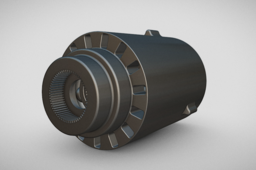
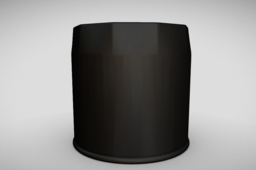
OIL FILTER || FILTERS || 3D AND PART MODELING || FULL ASSEMBLY AND SECTION VIEW || NX SIEMENS
VR DESIGNER
in
Modeling
1
0
Intermediate
In this video, we create a 3D CAD model of an Oil Filter using Siemens NX (Unigraphics). 🚗⚙️ This tutorial covers sketching, extrude, revolve, fillet, shell, and assembly features to design a realistic oil filter part model. If you are a mechanical engineer, CAD designer, or student, this video will help you improve your NX CAD modeling skills. Perfect for automobile component design projects, mechanical CAD practice, and product design tutorials. 👉 Topics Covered in This Video: - Introduction to Oil Filter Design - Step-by-Step Sketching & Constraints - Revolve & Extrude Features for Cylindrical Parts - Shelling & Filleting for Realistic Shape - Detailing & Assembly in NX Siemens - Final Rendering & Visualization
NX Unigraphics
mechanical engineering
automobiles parts tutorial
filter tutorial
oil filter tutorial
3d modeling tutorial
nx tutorial
nx siemens tutorial
cad tutorial
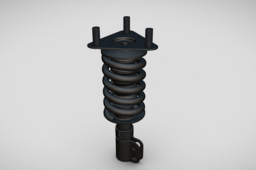
COILOVER SUSPENSION || STRUD || SUSPENSION || PART MODELING & ASSEMBLY || NX SIEMENS
VR DESIGNER
in
Modeling
2
0
Intermediate
Explore this detailed 3D model of a Suspension System created using Siemens NX, a powerful CAD design tool. This video showcases the design, assembly, and animation of the suspension components, including springs, dampers, wishbones, and joints. 🔧 Highlights of the video: 3D modeling and assembly of the suspension system in NX Step-by-step view of the suspension design Visualized motion simulation for real-world functionality Application of realistic materials and animations This model demonstrates the mechanical design precision possible with Siemens NX for automotive and mechanical engineering projects. Perfect for design engineers, CAD enthusiasts, and students exploring suspension system mechanics! 🔔 Don't forget to like, share, and subscribe for more CAD design videos!
NX Unigraphics
automotive part tutorial
mechanical engineering tutorial
mechperson strud tutorial
cad model
nx siemens tutorial
nx tutorial
cad tutorial
suspension tutorial
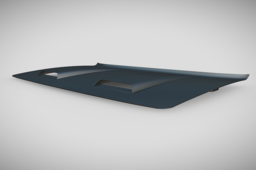
HOOD || BONNUT || DODGE || SURFACING || PART MODELING || NX SIEMENS
VR DESIGNER
in
Modeling
1
0
Intermediate
Welcome to this detailed tutorial on how to model a car bonnet (hood) using Siemens NX (formerly known as NX Unigraphics)! Whether you're a beginner or an experienced CAD designer, this video walks you through the entire process – from sketching to surfacing and final detailing – all within the powerful Siemens NX environment. 🎯 What You’ll Learn: Setting up the sketch environment - Creating the main profile and curves - Surface modeling techniques for automotive panels - Edge blending and curvature control - Design intent and symmetry usage - Tips to maintain clean topology and surface continuity ⚙️ Software Used: Siemens NX - A powerful and versatile CAD/CAM/CAE software for 3D modeling and engineering design.
NX Unigraphics
automotive part tutorial
mechanical engineering
surfacing tutorial
dodge hood tutorial
bonnut tutorial
nx tutorial
nx siemens tutorial
cad tutorial
BIKE EXHAUST || EXHAUST || PART MODELING || NX SIEMENS
VR DESIGNER
in
Modeling
3
0
Intermediate
In this video, we demonstrate the complete modeling of a bike exhaust using Siemens NX software, covering every step from concept to the final 3D design. Whether you are a mechanical engineer, automotive designer, or CAD enthusiast, this tutorial will help you enhance your CAD modeling skills and understand complex surface modeling techniques. What You’ll Learn in This Video: ✅ How to start a new project in NX Siemens ✅ Step-by-step 3D modeling of a bike exhaust ✅ Surface and solid modeling techniques for complex parts This tutorial is ideal for mechanical engineering students, CAD professionals, and automotive designers who want to master Siemens NX for real-world applications. If you find this video helpful, like, share, and subscribe to VR DESIGNER for more CAD modeling tutorials, product design projects, and engineering tips! ⚙️ Software Used: Siemens NX - A powerful and versatile CAD/CAM/CAE software for 3D modeling and engineering design.
NX Unigraphics
mechanical engineering
automobile engineering
bike exhaust
exhaust tutorial
nx siemens
nx tutorial
cad model tutorial
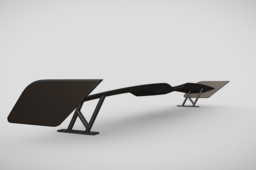
SPOILER || ASTHETIC || 3D & SURFACE PART MODELING || NX SIEMENS
VR DESIGNER
in
Modeling
3
0
Intermediate
Welcome to our latest CAD tutorial! In this video, we'll walk you through the complete process of modeling a car spoiler using Siemens NX — one of the industry-leading CAD/CAM/CAE tools. From creating the initial sketches to finalizing the aerodynamic surfaces, you'll learn the professional techniques used in automotive design. Whether you're a beginner or looking to sharpen your skills, this tutorial will give you clear insights into using NX Surface Modeling, Extrude, Sweep, Loft, and Edge Blend features to create a realistic and functional spoiler. 🎯 What You'll Learn: - Setting up reference planes and curves - Sketching aerodynamic profiles -- Creating solid bodies using sweeps and lofts - Surface modeling techniques for smooth flow - Finishing touches: blends, fillets, and aesthetics - Best practices for automotive part design ⚙️ Software Used: Siemens NX - A powerful and versatile CAD/CAM/CAE software for 3D modeling and engineering design.
NX Unigraphics
automobile engineering
mechanical engineering
automotive part
spoiler tutorial
surfacing tutorial
nx tutorial
nx siemens
cad tutorial
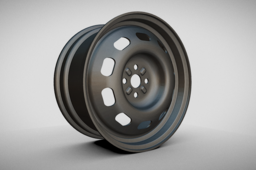
WHEEL RIM || WHEEL PART || 3D CAD MODEL || PART MODELING || NX SIEMENS
VR DESIGNER
in
Modeling
5
1
Intermediate
Welcome to VR DESIGNER! In this detailed tutorial, we will walk you through the complete process of modeling a stylish alloy wheel rim using NX Siemens CAD software. Whether you are a beginner or an advanced user, this video will help you learn key surface and solid modeling techniques used in automotive component design. 🔧 In This Video: - Sketching the Rim Base Profile - Revolve and Extrude Features - Cutouts for Lightweight Design - Circular Patterns for Spokes - Fillet & Chamfer for Finishing 🌟 Designed to give you a hands-on experience in 3D modeling, this tutorial is perfect for mechanical engineers, automotive designers, and CAD enthusiasts. ⚙️ Software Used: Siemens NX - A powerful and versatile CAD/CAM/CAE software for 3D modeling and engineering design.
NX Unigraphics
rim tutorial
part modeling
3d modeling
nx siemens tutorial
cad tutorial
wheel rim tutorial
wheel
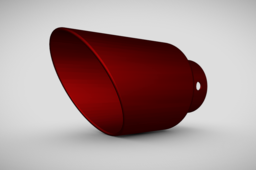
EXHAUST || EXHAUST PART || PART MODELING || 3D MODEL || NX SIEMENS
VR DESIGNER
in
Modeling
1
0
Intermediate
In this detailed tutorial, we’ll walk you through the complete 3D CAD modeling of an Exhaust Outlet using Siemens NX (Unigraphics NX) software. This part is crucial in automotive and mechanical systems for managing exhaust gas flow and is often optimized for performance and durability. 💡 What you'll learn in this video: How to sketch and model an exhaust outlet using surface and solid modeling techniques Step-by-step feature creation using extrude, revolve, sweep, and boolean operations How to apply drafts, fillets, and shell features to optimize for manufacturing Best practices in parametric design and 3D part modeling ⚙️ Software Used: Siemens NX - A powerful and versatile CAD/CAM/CAE software for 3D modeling and engineering design.
NX Unigraphics
cad model
cad tutorial
nx tutorial
vehucle component
automobile engineering
exhaust system
exhaust tutorial
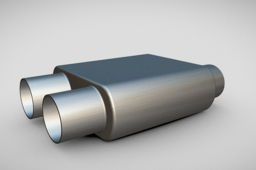
MUFFLER || EXHAUST || PART MODELING || 3D MODELING || NX SIEMENS
VR DESIGNER
in
Modeling
1
0
Intermediate
🔧 Welcome to VR DESIGNER! In this tutorial, we take you through a step-by-step 3D modeling of a muffler using Siemens NX (Unigraphics NX). Whether you're an automotive engineer, CAD designer, or a student looking to enhance your modeling skills, this video is designed to guide you through essential surface and solid modeling techniques used in muffler/exhaust system design. 💡 What You’ll Learn: - Introduction to muffler components and design intent - Creating base geometry using sketches - Solid modeling and surface modeling techniques - Applying fillets, shells, and pattern features - Assembly-ready model creation - Best practices for clean CAD modeling - Exporting model and rendering tips ⚙️ Software Used: Siemens NX - A powerful and versatile CAD/CAM/CAE software for 3D modeling and engineering design.
NX Unigraphics
cad tutorial
nx tutorial
mechanical engineering
automobile engineering
engine part tutorial
3d cad tutorial
mufler tutorial
nx cad tutorial
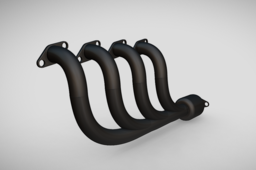
EXHAUST MANIFOLD || ENGINE PART || INLINE 4 CYLINDER ENGINE || PART MODELING || NX SEIMENS
VR DESIGNER
in
Modeling
2
0
Intermediate
Welcome to VR DESIGNER! In this detailed CAD modeling tutorial, we walk you through the complete 3D design process of an Exhaust Manifold for an Inline 4-cylinder engine using Siemens NX (Unigraphics NX) software. 📌 Whether you're a mechanical engineering student, a design engineer, or a CAD enthusiast, this step-by-step guide is perfect to understand: ✅ The design logic behind exhaust manifolds ✅ Parametric modeling in NX ✅ Accurate sketching and 3D features like sweep, loft, extrude, mirror, and Boolean operations
NX Unigraphics
automobile engineering
engine parts tutorial
engine parts
nx tutorial
siemens tutorial
nx siemens tutorial
exhaust manifold tutorial
cad tutorial
1
2
3
4