Learn about the GrabCAD Platform
Get to know GrabCAD as an open software platform for Additive Manufacturing
Visit our new homepage
Home
Control
Shop
Streamline Pro
Partner Program
Print
Community
Log in
Library
Challenges
Groups
Questions
Tutorials
Engineers
Blog
Log in
David Thomas
Follow
185
followers
Hanover, MA, United States
Tutorials
About
Models
40
Tutorials
7
More
Followers
185
Following
30
Likes
18
Following
30
Followers
185
Likes
18
Tutorials
Sort by:
Recent
Recent
Most liked
Most viewed
Most commented
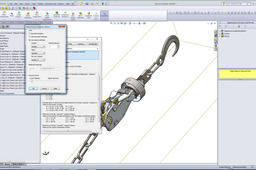
Weigh assembly in SolidWorks
David Thomas
in
Design & CAD
0
0
Beginner
It is not difficult to do. Here's how :
SOLIDWORKS
weigh
aseembly
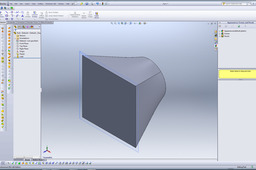
Extruding from square to round
David Thomas
in
Design & CAD
3
0
Beginner
I would use a lofted boss/base for this if you want to do it the simple, solid way. Lofted surface would be more appropriate for a more complex surface model, but here's how you loft a solid boss.
SOLIDWORKS
square
round
extruding
Is it possible to mate circular faces?
David Thomas
in
Design & CAD
0
0
Beginner
You can use several types of mates in SolidWorks to do this, depending on what effect you want. Here are some examples, although I'm sure I've left some out :)
SOLIDWORKS
solidworks
circular
face
mate
tangent
Is it possible to mate circular faces?
David Thomas
in
Design & CAD
0
0
Beginner
You can use several types of mates in SolidWorks to do this other than simple concentric, depending on what effect you want. Here are some examples, although I'm sure I've left some out :)
SOLIDWORKS
solidworks
circular
face
mate
tangent
What is zero thickness geometry?
David Thomas
in
Design & CAD
0
0
Beginner
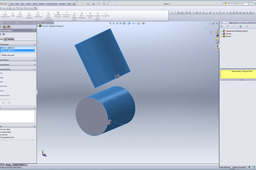
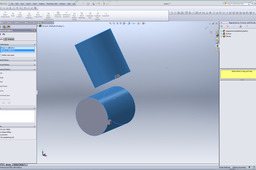
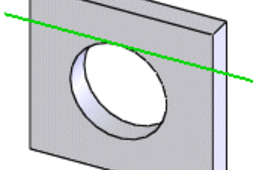
Zero thickness geometry is when a feature is created that can not be solved due to the fact that there is precisely zero material at only a point or an edge. An example would be if you created an extruded circle that is tangent to an extruded square. There is a good explanation here: http://help.solidworks.com/2012/English/SolidWorks/sldworks/HIDE_ZeroThickness.htm I've reposted the general guidelines from that site below as reference.
SOLIDWORKS
solidworks
geometry
zero
thickness
Model sheet metal in SolidWorks
David Thomas
in
Design & CAD
0
0
Beginner
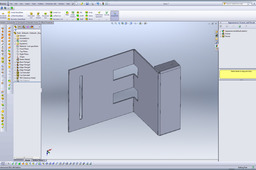
It's pretty easy in SolidWorks using sheet metal features.
SOLIDWORKS
metal
sheet
model
tutorial
What would be the easiest way to model green leaves (see picture) in SolidWorks?
David Thomas
in
Design & CAD
2
0
Beginner
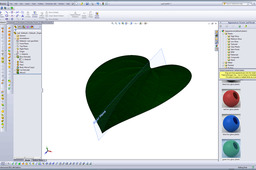
An easy way is to start with a flat half-leaf without the stem and use the bend tool. Attached is a leaf modeled using this method, but using displacement mapping and stuff to get the texture, instead of just a decal. Think I left the stem out of this one because the plant I put it on had them already.
SOLIDWORKS