Learn about the GrabCAD Platform
Get to know GrabCAD as an open software platform for Additive Manufacturing
Visit our new homepage
Home
Control
Shop
Streamline Pro
Partner Program
Print
Community
Connexion
Library
Challenges
Groups
Questions
Tutorials
Engineers
Blog
Connexion
Stratasys
Follow
174
followers
United States
Tutorials
About
Models
11
Tutorials
68
More
Followers
174
Following
1
Likes
1
Following
1
Followers
174
Likes
1
Tutorials
Sort by:
Recent
Recent
Most liked
Most viewed
Most commented
How to Use the New 3D Printing Cost Calculator in GrabCAD Shop
Stratasys
in
Process
5
0
Beginner
The new 3D printing cost calculator in GrabCAD Shop gives you the ability to communicate and manage costs per work order. In this tutorial, we’ll teach you how to set it up and use it so you can provide accurate 3D printing price estimates.
print
pricing
cost
software
printing
3d
shop
grabcad
How to Export & Create 3D Printing Reports in GrabCAD Shop
Stratasys
in
Process
2
0
Beginner
A typical 3D printing operator wastes 15% of their time updating tracking sheets, managing work orders, and then finally, reporting on projects. GrabCAD Shop makes all of these tasks simple to do -- and easy to report on. Learn how in this tutorial!
operators
print
reporting
management
orders
work
software
manufacturing
additive
printing
3d
shop
grabcad
Create Custom Operator Dashboards in GrabCAD Shop
Stratasys
in
Process
3
0
Beginner
GrabCAD Shop gives 3D printing administrators the ability to customize their Operator Orders Dashboard how they want. Learn how to customize order part statuses, configure columns and more in this GrabCAD Shop tutorial!
print
operators
lab
designers
engineers
orders
work
software
shop
grabcad
How to Use Adaptive Slice in GrabCAD Print
Stratasys
in
3D Printing
9
1
Beginner
Adaptive Slice is a new software feature in GrabCAD Print that automatically changes the slice height of your FDM part depending on a number of aspects in order to save on time while still keeping the finer details and overall quality. Learn how to enable the new feature in this tutorial!
3d
tutorial
print
grabcad
fdm
How to Change Your Update Settings in GrabCAD Print
Stratasys
in
3D Printing
2
1
Beginner
In this tutorial, you’ll learn how to change the Update Settings in GrabCAD Print so you can update to the latest version of GrabCAD Print at your convenience.
software
printing
3d
stratasys
print
grabcad
How to Use the Color Swatch Tool in GrabCAD Print
Stratasys
in
3D Printing
4
0
Beginner
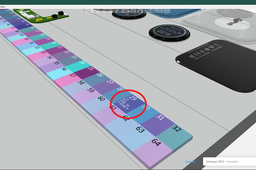
This new feature in GrabCAD Print will help customers find and match their desired colors easier -- and faster.
proofing
transparency
rgb
cmyk
grabcad
stratasys
color
polyjet
How to Use the Stratasys AR App for the J55 3D Printer
Stratasys
in
3D Printing
28
3
Beginner
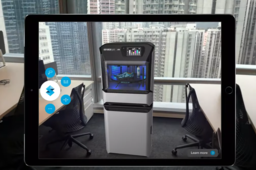
Stratasys unveiled the new J55 full-color 3D printer last month. We wanted to give designers and industry professionals a chance to see it for yourself -- wherever you are -- by offering this augmented reality experience.
virtual
apps
polyjet
printers
j55
printing
3d
stratasys
How to Assemble the Stratasys Face Shield
Stratasys
in
3D Printing
7
0
Beginner
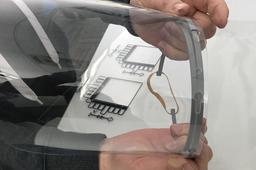
We know the need for COVID-19 protective equipment is urgent everywhere. That's why we're sharing everything you need to produce face shields with 3D printed visors.
fdm
faceshield
3dprinting
grabcadprint
stratasys
coronavirus
covid19
How to Apply Vivid Materials onto an Assembly in GrabCAD Print
Stratasys
in
3D Printing
2
0
Intermediate
See how easy it is to apply Vivid Materials onto an assembly in GrabCAD Print. This example features a brake light so you can see how the transparency works as well!
vivid
stratasys
software
printing
3d
print
grabcad
polyjet
How to Apply a Color Coating in GrabCAD Print
Stratasys
in
3D Printing
2
0
Intermediate
Get the most out of Vero Vivid Resins by using the Color Coating tool in GrabCAD Print. This tutorial will teach you how so you get the desired results from your PolyJet prints with advanced color designations.
print
grabcad
color
printing
3d
stratasys
polyjet
How to Assign VeroClear Material to an Assembly in GrabCAD Print
Stratasys
in
3D Printing
4
0
Beginner
Assigning VeroClear material to a part or assembly is super easy in GrabCAD Print! Learn how to do it so you can start 3D printing clear materials.
printing
3d
veroclear
polyjet
stratasys
print
grabcad
software
3D Printing Flexible Materials: 5 Ways to Apply Agilus30 White to Parts in GrabCAD Print
Stratasys
in
3D Printing
1
0
Expert
Agilus30 is a rubber-like PolyJet photopolymer. Since it holds up well against repeated flexing and bending, it's great for prototypes and concept models such as grips, hoses and handles. But what also makes Agilus30 so great is that it can be printed on its own at a natural durometer value of Shore 30A OR it can be mixed with another material to achieve different shore A values and colors. In this GrabCAD Tutorial, we'll reveal five different ways you can apply Agilus30 White to your parts in GrabCAD Print.
j8series
j55
software
printing
3d
j750
stratasys
polyjet
Transparent 3D Printing is Easy with GrabCAD Print
Stratasys
in
3D Printing
1
0
Beginner
The visualization tools in GrabCAD Print make clear 3D printing easy! There are a number of ways to apply transparency to your part, and then view which areas will have a matte or glossy finish. This is really helpful so you can change the orientation of the part to suit your needs.
polyjet
software
stratasys
grabcad
grabcadprint
transparency
veroclear
3dprinting
How to Make Complex Material Assignments to an Assembly Using Digital Materials in GrabCAD Print
Stratasys
in
3D Printing
2
0
Intermediate
The Digital Materials selection pane in GrabCAD Print gives you the ability to create complex 3D print assemblies with a variety of colors and textures -- all on one tray. Learn how to use this tool so you can assign complex material assignments with ease!
digitalmaterials
stratasys
grabcadprint
3dprintingsoftware
3dprinting
polyjet
How to Lower Your 3D Printer Material Cost Using this Trick in GrabCAD Print
Stratasys
in
3D Printing
10
0
Beginner
GrabCAD Print has multiple features that allow you to lower your 3D printer material cost, including making parts hallow, optimizing the orientation, and re-scaling. Learn how to apply these options here!
series
j8
j55
j750
polyjet
stratasys
grabcad
grabcadprint
software
1
2
3
4
5