Learn about the GrabCAD Platform
Get to know GrabCAD as an open software platform for Additive Manufacturing
Visit our new homepage
Home
Control
Shop
Streamline Pro
Partner Program
Print
Community
Log in
Library
Challenges
Groups
Questions
Tutorials
Engineers
Blog
Log in
Learn from thousands of free Tutorials.
New user?
Join the community
or
log in.
Tutorials
Most liked all time
Recent
Most liked
Most viewed
Most commented
This week
This month
All time
Category
Design & CAD
Modeling
Drafting
Assemblies
BOM
Dimensioning / Tolerancing
Translations
Manufacturing & CAM
3D Printing
Tooling
NC Machining
Composites
Measurement / Inspection
Simulation & CAE
FEM
CFD
Kinematics
Process Simulation
Engineering Fundamentals
Theory
Process
Standards
Other
Software
Snagit
Alibre Design
ArchiCAD
AutoCAD
AutoCAD Electrical
Autodesk 3ds Max
Autodesk Alias
Autodesk Inventor
Autodesk Maya
Autodesk Revit
Autodesk 123D
BricsCAD
Bentley MicroStation
BlenderCAD
BobCAD-CAM
CATIA
Delmia
DraftSight
FreeCAD
Femap
Fusion 360
Geomagic Design
IronCAD
JT
Kompas-3D
KeyCreator
KeyShot
Lagoa
Luxology
Mastercam
Moi3D
NX Unigraphics
OBJ
Onshape
OpenSCAD
Parasolid
Powermill
Powershape
Pro/Engineer Wildfire
PTC Creo Parametric
PTC Creo Elements
Rhino
SpaceClaim
SOLIDWORKS
solidThinking Evolve
Solid Edge
SolidFace
STEP / IGES
SketchUp
STL
TopSolid
TinkerCAD
T-Flex CAD
TurboCAD
VectorWorks
ViaCAD 3D
VRML / WRL
ZW3D
GrabCAD Print
Rendering
GrabCAD Community
GrabCAD Workbench
Text file
3D Manufacturing Format
Cinema 4D
Other
Intermediate
All levels
Beginner
Intermediate
Expert
shell
×
Advance Part Modelling
Diyanshu Singh
in
Modeling
4
0
Intermediate
Advance Part Design using NX 10.
NX Unigraphics
modelling
part
advance
shell
extrude
nxcad
gokart chasis modelling
kiran
in
Modeling
4
0
Intermediate
here in tis video you can find how to design base frame or chasis using simple comments from autodesk fusion 360
Fusion 360
rollcage
fusion360
autodesk
shell
chasis
gokart
fusion
Fusion 360: How to use shell Command, Draft Command, Scale Command, and Combine Command Quick tips.
N. Kumar
in
Modeling
2
0
Intermediate
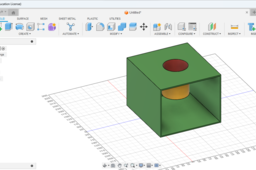
Dear Viewers, This Video Will give an insight how to use the hell Command, Draft Command, Scale Command, and Combine Command. # fusion360 #Elearning #animation #3dmodeling #onlineeducation #autodesk #autocad #catia #solidworks #inventor #3dprinting #mbm #mbmu #engineering #engine #crank https://t.me/+IfjCfFqrIOQ3M2Zl Telegram group Join for more discussion and videos https://t.me/+IfjCfFqrIOQ3M2Zl
Fusion 360
box
extrude
engine
shell
scale
fusion360
combine
draft
DIY 3d printing soap box design in creo
venkatesh ajith
in
Modeling
2
0
Intermediate
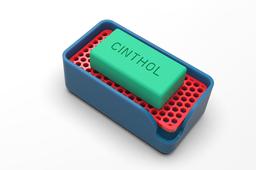
DIY soapbox design in creo 6.0 #soapbox #diyproject #3dprinting #keyshot9 plz watch my videos and subscribe to my channel on youtube. https://www.youtube.com/channel/UC0aNv-le_JLgelblN0WR63g?view_as=subscriber
PTC Creo Parametric
draft
shell
3dmodeling
keyshot9
creo6-0
grabcad
3dprinting
creo
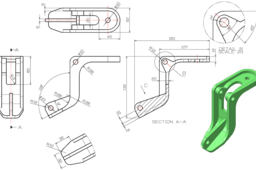
Solidworks: Reducer shell
Huy Pham
in
Modeling
1
0
Intermediate
I hope this video useful for everyone want to become professional design of engineer I have a channel in youtube about CAD 3D, I hope this useful for you: https://www.youtube.com/channel/UCw_Zp8rsvtI01SnhkM_4FAw
SOLIDWORKS
shell
gearbox
reducer
tutorial
solidworks
Solidworks Simulation │FEA basics│
Ali Nasser
in
Simulation & CAE
1
0
Intermediate
The FEA basic for solidworks simulation. FEA Definition Element types solid element vs shell element beam element invalid taper beam Mesh Definition Element Definition Node Definition chick list for solidworks simulation
mesh
taper
invalid
beam
shell
vs
solid
types
element
definition
basic
fea
Solidworks Tutorial | Solidworks Shell Command _ Advanced lessons | 3d Modeling Tutorial
Paul Dadzie
in
Modeling
0
0
Intermediate
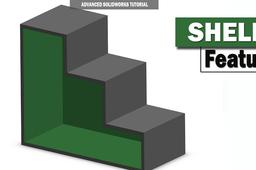
The shell tool is mainly used for shelling ie hollows out a part, leaves open the faces you select, and creates thin-walled features on the remaining faces. If you do not select any face on the model, you can shell a solid part, creating a closed, hollow model. You can also shell a model using multiple thicknesses. You can create shell features with different thicknesses for different faces. You can remove faces, set a default thickness for the remaining faces, then set different thicknesses for faces you select from the remaining faces Reference: https://help.solidworks.com/2019/english/SolidWorks/sldworks/c_Shells_Folder.htm Learning this tool will greatly help you advance in your Solidworks journey ************************************************************************************** You can contact me for more specific tutorial and tuition Whatsapp: +233241289594 Email: dadziepaulaa@yahoo.com More models can be found here: https://grabcad.com/paul.dadzie-1/models Facebook: https://web.facebook.
SOLIDWORKS
lessons
shell
beginner
dude
cad
tutorial
solidworks
Make shells with variable thicknesses with SOLIDWORKS
Tayseer Almattar
in
Modeling
0
0
Intermediate
The Shell command in SOLIDWORKS is powerful in that it makes you hallow any shape instantly. While many people already know the command, many don't know that it allows you to set up multiple thicknesses in the same model in one go. Check out this video to know to do that: https://www.youtube.com/watch?v=qGuamxUeuSY You can also follow the steps here
SOLIDWORKS
solidworks
shell
Learn How to Make Egg Shell in SOLIDWORKS with Rendering in Keyshot | Solid Body to Surface body |
Ibrahim Omer
in
Modeling
0
0
Intermediate
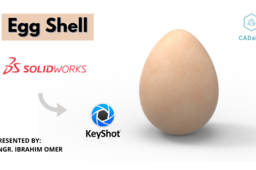
In this tutorial, we'll learn how to make egg shell in SOLIDWORKS 2020. This exercise contains the following features: 1) Style Spline 2) Revolved Boss 3) Offset Surface 4) Copy Surface 5) Delete/Keep Body 6) Thicken 7) Material 8) Rendering It is a good exercise for beginners and it will be a good practice for beginners. Here you'll learn how to convert solid model into surface body. I have divided this tutorial into two parts. In the first part we will model egg shell in SOLIDWORKS 2020. In the 2nd part, we will do basic rendering using Keyshot via Keyshot add-in. Kindly use play pause technique for practice. I have attached files in the description for practice. Feel free to ask your queries in comment section. I will try to answer each and every question. Keep practicing as practice makes a man perfect. #eggshellsolidworks #solidtosurface #surfaceoffset #solidworkstokeyshot #cadable For Files: https://grabcad.com/library/egg-shell-1 Follow our Channel: https://www.youtube.com/c/CADable
SOLIDWORKS
solidworks
rendering
keyshot
boss
revolve
copy
offset
surface
body
delete-keep
cadable
shell
egg
Solidworks simulation | Structural analysis with shell element
sakib ahmed
in
FEM
0
0
Intermediate
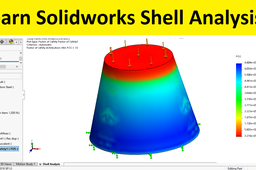
Learn to perform shell analysis of a structure using solidworks simulation. In SolidWorks Simulation 2015, you can also manage all the shells at a single place by using the Shell Manager. Shells are generally used to represent parts that have very low thickness like sheetmetal parts. The advantage of using shells lies in element type used for them during meshing. For solid objects 3D elements are used but for shells 2D elements like linear triangular and parabolic triangular elements are used. The analysis performed using 2D elements is faster.
elements
shell
simulation
solidworks