Learn about the GrabCAD Platform
Get to know GrabCAD as an open software platform for Additive Manufacturing
Visit our new homepage
Home
Control
Shop
Streamline Pro
Partner Program
Print
Community
Log in
Library
Challenges
Groups
Questions
Tutorials
Engineers
Blog
Log in
Learn from thousands of free Tutorials.
New user?
Join the community
or
log in.
Tutorials
Most liked all time
Recent
Most liked
Most viewed
Most commented
This week
This month
All time
Category
Design & CAD
Modeling
Drafting
Assemblies
BOM
Dimensioning / Tolerancing
Translations
Manufacturing & CAM
3D Printing
Tooling
NC Machining
Composites
Measurement / Inspection
Simulation & CAE
FEM
CFD
Kinematics
Process Simulation
Engineering Fundamentals
Theory
Process
Standards
Other
Software
Snagit
Alibre Design
ArchiCAD
AutoCAD
AutoCAD Electrical
Autodesk 3ds Max
Autodesk Alias
Autodesk Inventor
Autodesk Maya
Autodesk Revit
Autodesk 123D
BricsCAD
Bentley MicroStation
BlenderCAD
BobCAD-CAM
CATIA
Delmia
DraftSight
FreeCAD
Femap
Fusion 360
Geomagic Design
IronCAD
JT
Kompas-3D
KeyCreator
KeyShot
Lagoa
Luxology
Mastercam
Moi3D
NX Unigraphics
OBJ
Onshape
OpenSCAD
Parasolid
Powermill
Powershape
Pro/Engineer Wildfire
PTC Creo Parametric
PTC Creo Elements
Rhino
SpaceClaim
SOLIDWORKS
solidThinking Evolve
Solid Edge
SolidFace
STEP / IGES
SketchUp
STL
TopSolid
TinkerCAD
T-Flex CAD
TurboCAD
VectorWorks
ViaCAD 3D
VRML / WRL
ZW3D
GrabCAD Print
Rendering
GrabCAD Community
GrabCAD Workbench
Text file
3D Manufacturing Format
Cinema 4D
Other
Intermediate
All levels
Beginner
Intermediate
Expert
thread
×
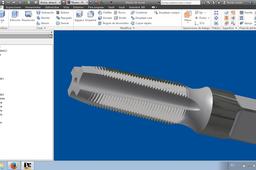
How to Make a Thread Generator with Inventor
Andrés Leonarduzzi
in
Modeling
9
0
Intermediate
En este turorial de imágenes muestro como hice el macho de roscar con Autodesk Inventor
Autodesk Inventor
tool
inventor
modeling
thread
macho
rosca
How to add a cosmetic thread to this part?
MALLIAS
in
Design & CAD
1
0
Intermediate
Here is the way to do it:
SOLIDWORKS
cosmetic
thread
SOLIDWORKS - Thread vs Cosmetic Thread 🎯
NonCad Keys
in
Modeling
1
0
Intermediate
👀 In this video, we examined one of the most requested content from us, threading. In the past, we were able to do thread cutting by drawing a thread profile and a sweep path (helix). Now we can perform thread cutting operations much faster and easier with the "Thread" command. However, instead of this type of threading, threads opened with the cosmetic thread command will be more beneficial for the user in every way. Below we have reviewed 3 important criteria that we try to demonstrate in the video. 👉🏼 Visuality: Of course, geometric threading takes a step forward here. Because visually you get the most realistic image. The cosmetic thread will only be seen as texture. 👉🏼 Technical Drawing: In this criterion, cosmetic thread take the lead in terms of technical information. Because we can get thread information automatically and cosmetic thread symbol is seen in all technical drawing views. Geometric threading processes, on the other hand, have no advantages in technical drawing. 👉🏼 Performance: A very important criterion, especially for SolidWorks users. Operations with geometric threading commands significantly reduce SolidWorks performance. You can also see this in the Performance Evaluation command at the end of the video. Users will begin to experience performance problems with the multi-use of parts created by such processes in assembly. ✅ Our advice is do not give up the cosmetic threading command. #Solidworks #cosmetics #thread #performance #Visuality #drawing @NonCADKeys #Details #statement
SOLIDWORKS
drawing
visuality
performance
thread
cosmetics
solidworks
INTERSECT COMMAND IN SOLIDWORKS
kiran
in
Modeling
1
0
Intermediate
here you can find how to create an intersecting part for an already existing part
SOLIDWORKS
tools
advance
tutorials
model
assembly
thread
intersect
solidworks
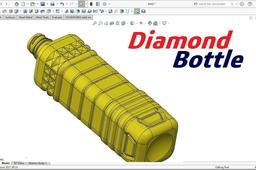
Diamond Bottle
langgeng wahyu hidayat
in
Modeling
1
0
Intermediate
This is a PET Bottle 900ml. Have diamond feature on the shoulder. This bottle use for cooking oil. Several command are: -extruded boss -lofted boss -sweep cut -linier, circular & film pattern -revolved cut
SOLIDWORKS
plastic
thread
bottle
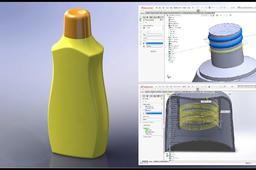
Draw Cosmetic Bottle in Solidworks
langgeng wahyu hidayat
in
Modeling
0
0
Intermediate
In this tutorial, you will learn how to draw a Cosmetic Bottle. There are several command to create this drawing: 1. Extruded boss 2. Revolved surface 3. Extended surface 4. Sweep surface 5. Split surface 6. Sweep boss
SOLIDWORKS
cap
thread
boss
sweep
surface
cosmetic
bottle
3DEXPERIENCE CATIA - Hole and Thread
NonCad Keys
in
Modeling
0
0
Intermediate
💡 With this video, we are now starting to share the contents of the 3DEXPERIENCE CATIA program on our channel. In this video, we will examine the topics of drilling and thread insertion and dimensioning in Part Design and Drawing applications. 🚨 For more and more different content to come ⬇️ We ask you to SUBSCRIBE to our channel and LIKE our videos. https://ytbe.one/@NonCADKeys #3dexperience #catia #thread #holewizard #partdesign #drawing
CATIA
partdesign
drawing
holewizard
thread
solidwork
catia
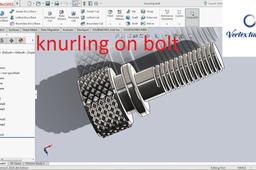
SOLIDWORKS - KNURLING ON BOLT
Sandeep Sharma
in
Modeling
0
0
Intermediate
Very intuitive way to draw knurl on any surface in this case i have drawn or you can say that i have tried to model knurl on a bolt with threads, hopefully you all will like it Comment below for any question or doubt. Subscribe for more learning videos on CAD CLICK ON THE LINK https://youtu.be/9_VnuCSXbpU TO WATCH THE TUTORIAL
SOLIDWORKS
spring
helix
design
bolt
thread
threads
surface
any
knurling
make
how
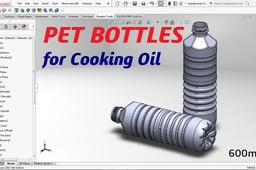
PET BOTTLE for Cooking Oil
langgeng wahyu hidayat
in
Modeling
0
1
Intermediate
PET BOTTLE for Cooking Oil quantity 600ml there are: - Diamond model on shoulder - Thread three side - Groove on body - and Grip at the bottom Use the main command as: - Sweep Boss - Revolved Boss - Extruded Cut - Revolved Cut - Sweep Cut - Circular Pattern - Linear Pattern
SOLIDWORKS
thread
plastic
pet
plastik
revolved
botol
bottle