Learn about the GrabCAD Platform
Get to know GrabCAD as an open software platform for Additive Manufacturing
Visit our new homepage
Home
Control
Shop
Streamline Pro
Partner Program
Print
Community
Log in
Library
Challenges
Groups
Questions
Tutorials
Engineers
Blog
Log in
Learn from thousands of free Tutorials.
New user?
Join the community
or
log in.
Tutorials
Most liked all time
Recent
Most liked
Most viewed
Most commented
This week
This month
All time
Category
Design & CAD
Modeling
Drafting
Assemblies
BOM
Dimensioning / Tolerancing
Translations
Manufacturing & CAM
3D Printing
Tooling
NC Machining
Composites
Measurement / Inspection
Simulation & CAE
FEM
CFD
Kinematics
Process Simulation
Engineering Fundamentals
Theory
Process
Standards
Other
Software
Snagit
Alibre Design
ArchiCAD
AutoCAD
AutoCAD Electrical
Autodesk 3ds Max
Autodesk Alias
Autodesk Inventor
Autodesk Maya
Autodesk Revit
Autodesk 123D
BricsCAD
Bentley MicroStation
BlenderCAD
BobCAD-CAM
CATIA
Delmia
DraftSight
FreeCAD
Femap
Fusion 360
Geomagic Design
IronCAD
JT
Kompas-3D
KeyCreator
KeyShot
Lagoa
Luxology
Mastercam
Moi3D
NX Unigraphics
OBJ
Onshape
OpenSCAD
Parasolid
Powermill
Powershape
Pro/Engineer Wildfire
PTC Creo Parametric
PTC Creo Elements
Rhino
SpaceClaim
SOLIDWORKS
solidThinking Evolve
Solid Edge
SolidFace
STEP / IGES
SketchUp
STL
TopSolid
TinkerCAD
T-Flex CAD
TurboCAD
VectorWorks
ViaCAD 3D
VRML / WRL
ZW3D
GrabCAD Print
Rendering
GrabCAD Community
GrabCAD Workbench
Text file
3D Manufacturing Format
Cinema 4D
Other
Skill level
All levels
Beginner
Intermediate
Expert
CATIA
×
pattern
×
Modelling Plastic Cover in CATIA V5
Shahadatuliskandar Rosli
in
Modeling
12
4
Beginner
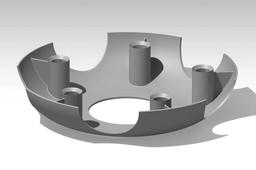
In this tutorial, we will first create a shaft feature with thickness, in CATIA V5 using opened sketch. Then, we will apply a circular profile pad using 2 limits and add a concentric hole to it. Later, we will add a stiffener between the pad and the shaft created, and apply edge fillet all around it. Lastly, we will create a circular profile pocket and apply circular pattern around the shaft axis.
CATIA
hole
pocket
pad
thickness
shaft
pattern
circular
stiffener
how to design a honey comb structure in catia
Atheeq Saqlain
in
Modeling
9
0
Beginner
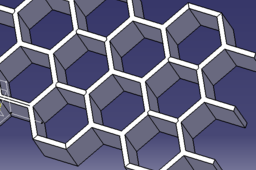
this tutorial is about designing a honey comb structure in catia v5. it uses surfacing technique and making patterns of the structure. this is one of the easiest way to design a honey comb structure
CATIA
surfacing
pattern
easy
design
cool
modeling
catia
comb
honey
CATIA V5 CoverPump - Exercise - 2D into 3D Modeling
Bocko Schuger
in
Design & CAD
9
0
Beginner
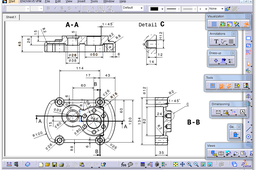
In this guide are displayed CATIA V5 steps modeling based on technical drawings 2D into 3D modeling. The 2D drawing is cover pump.
CATIA
offset
plane
elements
3d
projesct
chamfer
fillet
edge
circular
pattern
rectangular
thread
with
holle
shall
pad
catia
[VIDEO] Power Copy for Cutout Sheet Metal - CATIA 3DExperience R19x
Maxime Chagnot
in
Modeling
2
0
Intermediate
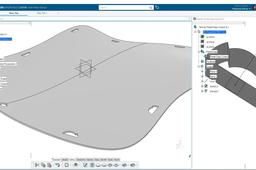
Hello Everyone, In this new tutorial, I will show you how to create a Power Copy of a Profile that you reuse as a cutout on a Sheet Metal curved plate. You will first create a double curved surface on Generative Shape Design application. You will also place several Points and axis system to position the future cutouts profile. After that you will learn how to create the Power Copy from scratch. It is very important in that step that you create your referential (point, plane and lines). Finally, you will transform the surface to a sheet metal part and you will reuse the Power Copy to make several cutouts in the plate. Power Copy is a powerful tool, that will reduce the time spent on repetitive task. Find the models on this grabcad links: - https://grabcad.com/library/metal-plate-cutout-1 - https://grabcad.com/library/power-copy-for-sheetmetal-cutout-1 Please like, comment, share and subscribe :)
CATIA
pattern
cutout
copy
power
metal
sheet
3dexperience
catia
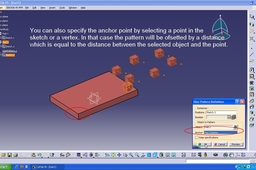
Tutorial: Using user pattern in Catia V5.
Abhijeet
in
Design & CAD
2
1
Beginner
Tutorial: Using user pattern in Catia V5
CATIA
pattern
tutorial
user
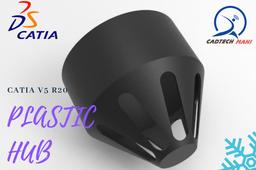
plastic hub in catia v5R20
maheshkumar
in
Modeling
1
0
Beginner
plastic hub designed in catia v5 r20
CATIA
plastic
revolve
pattern
circular
use
how
model
catia
Tutorial: Using rectangular pattern in Catia V5.
Abhijeet
in
Design & CAD
1
0
Beginner
Tutorial: Using rectangular pattern in Catia V5
CATIA
pattern
tutorial
rectangular
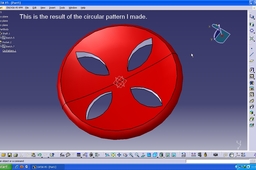
Tutorial: Using circular pattern in Catia V5.
Abhijeet
in
Design & CAD
1
0
Beginner
Tutorial: Using circular pattern in Catia V5
CATIA
circular
pattern
tutorial
Reusing patterns in Assembly Design in CATIA V5
3D Comparison
in
Modeling
0
0
Beginner
How to reuse patterns from Part Design (Rectangular, Circular and User Pattern) to quickly define multiple constraints in Assembly Design. The first section of the video is focused on the fixed platen part modeling, after that a M10 Screw and a Washer are initialized and constrained using the reuse pattern.
CATIA
washer
screw
initialized
design
assembly
pattern
reuse
catia
can anyone help me about how to making a how u making tread pattern of my tire design??
G15
in
Design & CAD
0
1
Beginner
small tutorial (first of all, normally it is better to put solids in the body and surfaces in geom. sets. In lots of industry hybrid design is forbidden)
CATIA
tire
pattern
tread
airless
How to pattern STL models in CATIA V5
3D Comparison
in
Modeling
0
0
Beginner
If you ever wonder how to pattern multiple STL files within CATIA V5.
CATIA
multiple
files
stl
rectangular
pattern