Learn about the GrabCAD Platform
Get to know GrabCAD as an open software platform for Additive Manufacturing
Visit our new homepage
Home
Control
Shop
Streamline Pro
Partner Program
Print
Community
Log in
Library
Challenges
Groups
Questions
Tutorials
Engineers
Blog
Log in
Learn from thousands of free Tutorials.
New user?
Join the community
or
log in.
Tutorials
Most liked all time
Recent
Most liked
Most viewed
Most commented
This week
This month
All time
Category
Design & CAD
Modeling
Drafting
Assemblies
BOM
Dimensioning / Tolerancing
Translations
Manufacturing & CAM
3D Printing
Tooling
NC Machining
Composites
Measurement / Inspection
Simulation & CAE
FEM
CFD
Kinematics
Process Simulation
Engineering Fundamentals
Theory
Process
Standards
Other
Software
Snagit
Alibre Design
ArchiCAD
AutoCAD
AutoCAD Electrical
Autodesk 3ds Max
Autodesk Alias
Autodesk Inventor
Autodesk Maya
Autodesk Revit
Autodesk 123D
BricsCAD
Bentley MicroStation
BlenderCAD
BobCAD-CAM
CATIA
Delmia
DraftSight
FreeCAD
Femap
Fusion 360
Geomagic Design
IronCAD
JT
Kompas-3D
KeyCreator
KeyShot
Lagoa
Luxology
Mastercam
Moi3D
NX Unigraphics
OBJ
Onshape
OpenSCAD
Parasolid
Powermill
Powershape
Pro/Engineer Wildfire
PTC Creo Parametric
PTC Creo Elements
Rhino
SpaceClaim
SOLIDWORKS
solidThinking Evolve
Solid Edge
SolidFace
STEP / IGES
SketchUp
STL
TopSolid
TinkerCAD
T-Flex CAD
TurboCAD
VectorWorks
ViaCAD 3D
VRML / WRL
ZW3D
GrabCAD Print
Rendering
GrabCAD Community
GrabCAD Workbench
Text file
3D Manufacturing Format
Cinema 4D
Other
Skill level
All levels
Beginner
Intermediate
Expert
involute
×
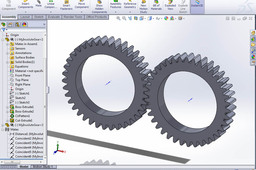
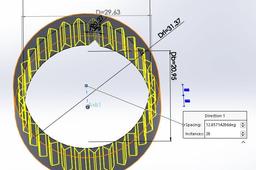
Tutorial: How to model involute gears in SolidWorks and show design intent.
Steen Winther
in
Design & CAD
85
23
Beginner
The model from this tutorial is found here: http://grabcad.com/library/involute-gear-design-from-scratch-1
SOLIDWORKS
solidworks
gear
involute
Involute profile in splines (1)
Carlos Soler
in
Theory
30
0
Beginner
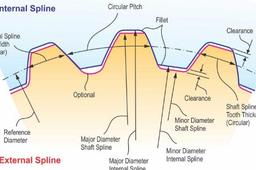
This is a short description of how involute profiles are used in splines like DIN 5480, DIN 5482, ISO 4256, and ANSI 92.1
4156
iso
5482
5480
din
serration
spline
involute
Tutorial : How to model involute gear in Creo 3.0
Milan Ilić
in
Modeling
18
3
Beginner
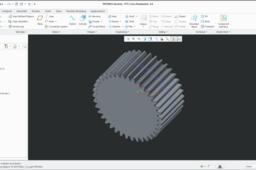
How to model involute (evolvent) gear in Creo 3.0
PTC Creo Parametric
model
engineer
pro
parametric
creo
tutorial
evolvent
involute
gear
Involute profile in splines (2)
Carlos Soler
in
Theory
12
12
Beginner
This is a continuation of the previous tutorial https://grabcad.com/tutorials/involute-profile-in-splines-1
involute
spline
serration
din
5480
5482
iso
4156
Involute profile in splines (3)
Carlos Soler
in
Theory
9
0
Beginner
This is a continuation of the previous tutorial Involute profile in splines (2) https://grabcad.com/tutorials/involute-profile-in-splines-2
ansi b921
ansi
seration
involute
spline
How to model Involute Gear in Solidworks?
Andreas Gkertsos
in
Design & CAD
8
2
Beginner
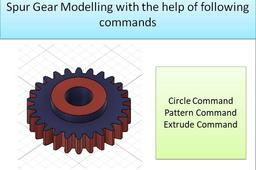
these are the steps...
SOLIDWORKS
solidworks
gear
model
involute
competition
tutorial
teeth
challenge
how
[Tutorial Video] Spur Gear Involute teeth Profile CATIA using Base circle as basis of construction
Sudhir Gill
in
Modeling
2
0
Intermediate
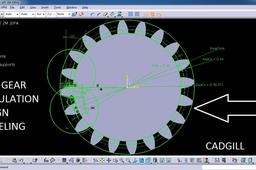
In this video tutorial we will learn how to model a Spur Gear Involute Teeth profile in CATIA using Base circle as basis of construction. In this video I have explained the detailed construction. Let me know if you are facing any problem or any query. https://cadgill.blogspot.com/2019/04/equation-driven-spur-gear-design.html
CATIA
machine
design
construction
teeth
involute
catia
gear
spur
Spur Gear Involute Gear Teeth Profile
AMAN KHALE
in
Modeling
2
0
Beginner
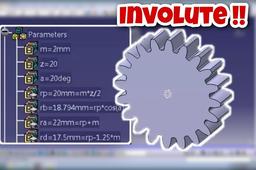
In this tutorial, I will help you in making involute gear teeth for a spur gear using parameters and relations. I have designed the gear in Catia V5R16 using involute curve equations in "LAW" tool available in knowledge toolbar in Catia. https://www.youtube.com/watch?v=RU-f1E3sTSI
CATIA
catia
relations
parameters
profile
tooth
involute
gear
spur
How to create Spur Gear in fusion 360
N. Kumar
in
Modeling
2
0
Beginner
How can we create fusion 360 in fusion 360. Terminology used for gear are as follows Module(m) =PCD/No. of teeth=10 No of teeth(N) =26 Addendum(add) = 10 mm Dedendum (Ded)= 1.125XADD=11.25 PCD = m X no. of teeth = 10X26=260 Outside dia= PCD+2Xadd = 260+20 =280mm Inside dia = PCD -2 X Ded = 260 -2 X11.25= 237.5 mm Circular pitch = π X PCD /N = π X 260/26=31.4mm Tooth thickness = CP/2= 31.4/2 = 15.7 mm Pressure Angle = 20 degree
Fusion 360
3dmodels
3dmodeling
profile
involute
helical
gear
spur
gears
Approximate vs. Involute Gear Tooth Profile in CATIA V5
William Harbin
in
Modeling
1
0
Expert
This BND TechSource video shows how to create a “template” part for an Involute Spur Gear. This part may be modified by simply changing the parameters of any/all of the following three formulae: z - number of teeth // real parameter [z = input] Rpa - Ref Pressure Angle // angle parameter [Rpa = input] m - module // length parameter [m = input] And the Undercutting issue can be resolved by introducing Profile Shift which affects the Center Distance between gears as well as adjusting the Addendum and Dedendum circles. Ad – Addendum circle // length parameter [Ad = input] Dd – Dedendum circle // length parameter [Dd = input] https://bndtechsource.wixsite.com/home Excel Involute Spur Gear Calculator with macro: https://drive.google.com/file/d/1b2gzKpBHfOakALJi1-hZfOqGt_KFxNLc/view?usp=sharing
CATIA
gear
spur
laws
relations
parameters
involute
v5
catia
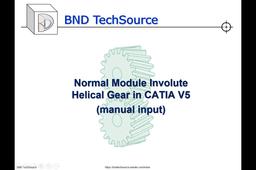
Normal Module Involute Helical Gear in CATIA V5 (manual input)
William Harbin
in
Modeling
1
0
Expert
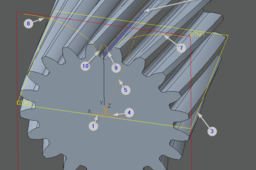
This BND TechSource video shows the steps for creating a “template” part for our Normal Module Involute Helical Gear. This part may be modified by simply changing the parameters of any/all of the following five formulae: Fw - Face width // length parameter [Fw = input] z - number of teeth // real parameter [z = input] Npa - Normal Pressure Angle // angle parameter [Npa = input] m - module // length parameter [m = input] Ca - Cylinder helix angle // angle parameter [Ca = input] Please comment or contact us if you would be interested in seeing how to create the Helical gears with a CATIA Macro. Please visit us at: https://bndtechsource.wixsite.com/home Normal Involute Helical Gear calculator (Excel): https://drive.google.com/file/d/1A1tVjmZr4r2D-nLRk6qzkfkMObjdl7wt/view?usp=sharing
CATIA
fog
gear
helical
involute
module
normal
v5
catia
Modeling a Gear Wheel in Creo
Dominik Hans
in
Modeling
0
0
Intermediate
This tutorial describes a method of modeling an involute spline gear wheel in Creo with a very high accuracy. In this model, the tooth geometry is created as a straight tool with a simple radius at the tool tip would do. So, there is no protuberance or any more advanced tooth modification. But you can create gears with an undercut very easily In my professional work, I had the chance to compare the geometry with the geometry created by KISSsoft. The deviation was really neglectable. Hopefully, this tutorial is useful for someone! If yes, I'm glad to get a feedback And if you are interested in the background of the tooth root radius formulas, just let me know.
PTC Creo Parametric
involute
gears