Learn about the GrabCAD Platform
Get to know GrabCAD as an open software platform for Additive Manufacturing
Visit our new homepage
Home
Control
Shop
Streamline Pro
Partner Program
Print
Community
Log in
Library
Challenges
Groups
Questions
Tutorials
Engineers
Blog
Log in
Dean
Follow
29
followers
Gauteng, South Africa
Tutorials
About
Models
20
Tutorials
9
More
Followers
29
Following
18
Likes
13
Following
18
Followers
29
Likes
13
Tutorials
Sort by:
Recent
Recent
Most liked
Most viewed
Most commented
what is the category: "FIXINGS" about?
Dean
in
Design & CAD
0
0
Beginner
Hi there, well the term "Fixings" is quite ambiguous, The definition of "Fixings" is - Restraint that attaches to something or holds something in place, but a "Fixture" is a work-holding or support device, when a "Fixture" is used, the tool`s movement is relative to the workpiece, but its different to a "Jig" , A jig is a type of custom-made tool used to control the location and/or motion of another tool. A jig's primary purpose is to provide repeatability, accuracy, and interchangeability in the manufacturing of products. A jig is often confused with a fixture; a fixture holds the work in a fixed location. A device that does both functions (holding the work and guiding a tool) is called a jig. A "Tool" on the other hand is anything used as a means of performing an operation or achieving an end.
Other
fixings
what
how to give centre line to oblong hole
Dean
in
Design & CAD
0
0
Beginner
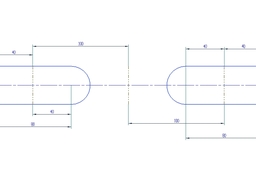
heres another tutorial, hope this answers your question
NX Unigraphics
how to give centre line to oblong hole
Dean
in
Design & CAD
1
0
Beginner
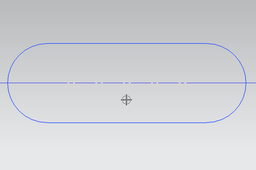
Heres a Tutorial for you
NX Unigraphics
Rim design advice..
Dean
in
Design & CAD
3
1
Beginner
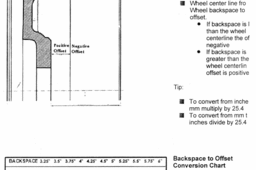
hi heres some basic info, will provide more in depth info in days to follow, have manufactured a custom set and its a tricky process, so take time in research especially for application and strength required.
Other
aluminum
wheel
custom
design
rim
tire
automotive
tyre
precision
alloy
blank
standards
plastic mold
Dean
in
Design & CAD
3
0
Beginner
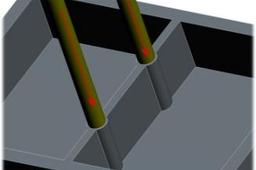
on the mold its called ejector pins and/or ejector sleeves. on the part its called witness lines, marks download gif image and view animation in your browser
Other
how do you turn off large assembly box display, ug seemed to have moved it
Dean
in
Design & CAD
0
0
Beginner
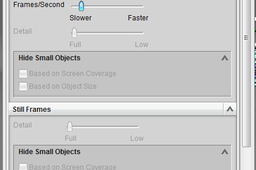
I think i have the solution. view Tutorial and Video and I added an Uploaded PDF for extra info. let me know if it worked.
Other
Empty boxes
Dean
in
Design & CAD
0
0
Beginner
View Tutorial and Uploaded Video
Other
Arc convert to circle in autocad
Dean
in
Design & CAD
0
0
Beginner
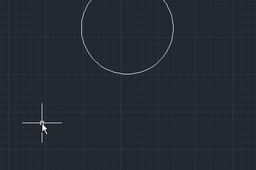
Simple to do my Friend. Use "Modify" tab then select "Join" Command, click on end of arc then "Right Click" and "Close" command will appear, Click on "Close" and the Arc is converted to a Circle. View Tutorial and Video Files for a step by step guide. Give me a shout if you need assistance.
AutoCAD