Learn about the GrabCAD Platform
Get to know GrabCAD as an open software platform for Additive Manufacturing
Visit our new homepage
Home
Control
Shop
Streamline Pro
Partner Program
Print
Community
Log in
Library
Challenges
Groups
Questions
Tutorials
Engineers
Blog
Log in
Learn from thousands of free Tutorials.
New user?
Join the community
or
log in.
Tutorials
Most liked all time
Recent
Most liked
Most viewed
Most commented
This week
This month
All time
Category
Design & CAD
Modeling
Drafting
Assemblies
BOM
Dimensioning / Tolerancing
Translations
Manufacturing & CAM
3D Printing
Tooling
NC Machining
Composites
Measurement / Inspection
Simulation & CAE
FEM
CFD
Kinematics
Process Simulation
Engineering Fundamentals
Theory
Process
Standards
Other
Software
Snagit
Alibre Design
ArchiCAD
AutoCAD
AutoCAD Electrical
Autodesk 3ds Max
Autodesk Alias
Autodesk Inventor
Autodesk Maya
Autodesk Revit
Autodesk 123D
BricsCAD
Bentley MicroStation
BlenderCAD
BobCAD-CAM
CATIA
Delmia
DraftSight
FreeCAD
Femap
Fusion 360
Geomagic Design
IronCAD
JT
Kompas-3D
KeyCreator
KeyShot
Lagoa
Luxology
Mastercam
Moi3D
NX Unigraphics
OBJ
Onshape
OpenSCAD
Parasolid
Powermill
Powershape
Pro/Engineer Wildfire
PTC Creo Parametric
PTC Creo Elements
Rhino
SpaceClaim
SOLIDWORKS
solidThinking Evolve
Solid Edge
SolidFace
STEP / IGES
SketchUp
STL
TopSolid
TinkerCAD
T-Flex CAD
TurboCAD
VectorWorks
ViaCAD 3D
VRML / WRL
ZW3D
GrabCAD Print
Rendering
GrabCAD Community
GrabCAD Workbench
Text file
3D Manufacturing Format
Cinema 4D
Other
Skill level
All levels
Beginner
Intermediate
Expert
i will design any 3d or 3d designing model
Avanik Donga
in
Modeling
6
3
Expert
I will create a 3d character for 3D model, 2D model, Rendering, Assembly based on your design. Always contact me first to create a custom offer specifically tailored for your needs and character design. My Workflow Process - The process for any 3d character will design with a design provided by you. - After we clear any doubts regarding the character, I will start to make the first 3d sketch, to define proportions and general forms. - Next step, after the 3d sketch is approved, I continue to refine the model adding high resolution detail. - Finally, the character gets painted and shaded. - After it's finished, we define the camera angles for the final images. The delivery will include the images, plus the source file that you needed.
SOLIDWORKS
Reverse Engineering Process
Henry Berry
in
Process
6
0
Beginner
How to reverse engineer a broken part.
Solidworks vba userfom
Mesut Yilmaz
in
Dimensioning / Tolerancing
6
2
Intermediate
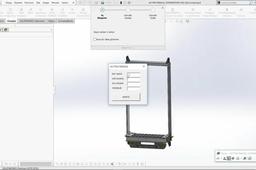
Hi everyone I made a design of elevator car frame in solidworks and can change the dimensions with vba macro userform. Macro runs on model opening and rebuild the model with new dimensions when clicking update button. Anybody can use the model who don't know anything about solidworks. Have a good day
SOLIDWORKS
macro
api
vba
solidworks
Part design in Catia V5
Anna Starostka
in
Modeling
6
0
Beginner
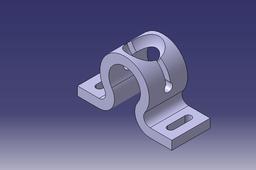
This is my first tutorial of modeling a part design in Catia. This is the link to the video https://www.youtube.com/watch?v=8gZfpeQNvOU
CATIA
SOLIDWORKS Basic Exercise 51
HOÀNG SƠN SOLIDWORKS
in
Modeling
6
0
Beginner
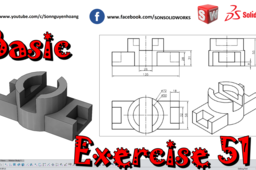
This exercise from a student on Facebook. help need help so I did a video for him.
SOLIDWORKS
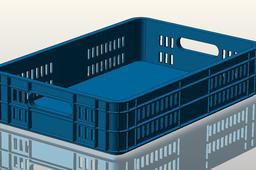
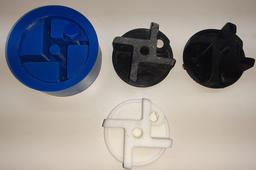
PLASTIC BOX: SolidWorks / KeyCreator
Manolo Valenzuela
in
Tooling
6
1
Beginner
See video: https://www.youtube.com/watch?v=wO9Oajq64UM&ab_channel=ManuelValenzuela
mold
box
plastic
nx
catia
inventor
solidworks
keycreator
How to Remove SUP706 Soluble Support on a 3D Printed Part
GrabCAD Tutorials
in
3D Printing
6
2
Intermediate
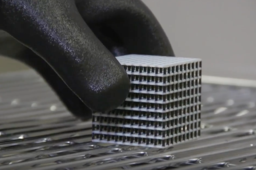
Removing SUP706 Soluble Support is quick and easy. Following the best practices ensures that you do not damage or break your part in the process. The following is brought to you by Stratasys.
polyjet
cleaning
finishing
post-processing
3dprinting
removal
support
sup706
How to model engine exhaust in solidworks
Usman Akhtar
in
Modeling
6
0
Beginner
watch video https://youtu.be/q2U5qd-2DnA
SOLIDWORKS
solidworks
exhaust
engine
Ansys Tutorial - Rigid Body Dynamics Beam Engine
Anuj Kaushal
in
Simulation & CAE
6
0
Intermediate
Ansys Tutorial - Rigid Body Dynamics Beam Engine A beam engine is a type of steam engine where a pivoted overhead beam is used to apply the force from a vertical piston to a vertical connecting rod. (https://en.wikipedia.org/wiki/Beam_engine)
animation
study
motion
engine
beam
dynamics
body
rigid
ansys
How to mention someone in GrabCad (All possible ways)
Yahya T Khedr
in
Other
6
2
Beginner
I've noticed that many "GrabCad"ers still don't know how to mention each other. Some just type his/her name, while others copy his profile's URL !!! The problem is that every place has it's own way, so I've gathered all possible ways to mention another user in GrabCad.
q-as
challenges
tutorials
group
comment
post
grabcad
mention
Electrical box #1
Rami chraiti
in
Modeling
6
0
Expert
how to make electrical box for to properly place the electrical equipment in the electrical cabinet
SOLIDWORKS
modeling
design
cad
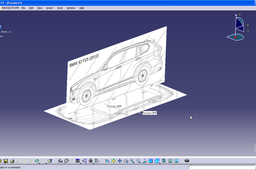
How to use sketch tracer in Catia V5?
Abhijeet
in
Design & CAD
6
6
Beginner
Tutorial: How to use sketch tracer in Catia V5?
CATIA
catia
sketch
blueprints
tracer
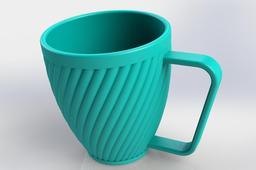
Solidworks: spiral water mug
Huy Pham
in
Modeling
6
0
Beginner
I hope this video useful for everyone want to become professional design of engineer I have a channel in youtube about CAD 3D, I hope this useful for you: https://www.youtube.com/channel/UCw_Zp8rsvtI01SnhkM_4FAw
SOLIDWORKS
mug
tutorial
solidworks
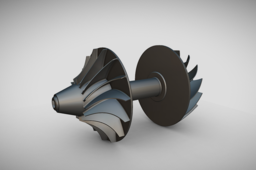
TURBINE || TURBOCHARGER || PART MODELING || ASSEMBLY || NX SIEMENS
VR DESIGNER
in
Modeling
6
2
Intermediate
Welcome to VR DESIGNER! In this detailed CAD modeling tutorial, we guide you through the complete 3D design of a Turbine Turbocharger using Siemens NX (Unigraphics NX). From sketching the core components to assembling the full turbocharger model, this video is perfect for mechanical engineers, CAD designers, and engineering students aiming to sharpen their NX skills. 🚀 What You’ll Learn: Introduction to the Turbine Turbocharger design Part-by-part modeling workflow in NX Siemens Techniques in sketching, extruding, revolving, and patterning Assembly of impeller, turbine housing, compressor, shaft, and blades Tips for clean parametric modeling ⚙️ Software Used: Siemens NX - A powerful and versatile CAD/CAM/CAE software for 3D modeling and engineering design.
NX Unigraphics
automobile engineering
automotive part
turbine
nx siemens tutorial
cad tutorial
turbo charger tutorial
nx cad tutorial
turbine tutorial
Iris Mechanism Generator (Variant 2)
Carlos Bravo
in
Modeling
6
0
Intermediate
This model is part of a series of Iris Mechanisms I began designing during the pandemic, and it now receives an update after several years. The original model uploaded a few years ago is available here: 🔗 https://grabcad.com/library/iris-generator-model-2-1 Unfortunately, due to GrabCAD’s community policies, it has been flagged as “tainted due to a violation of community guidelines” and is no longer publicly visible unless accessed directly. 🛠️ About this Variant This version features flexible leaves that overlap each other and are inspired by this YouTube post: 🔗 https://www.youtube.com/watch?v=tkaN07fCG3w Unlike other iris designs with rigid pivots or sliding slots, this variant proposes a softer, layered motion between blades. The number of leaves is calculated automatically depending on the dimensions of the mechanism, particularly the inner and outer radius. This model includes three different configurations, each with a distinct leaf width (r_ext_blade). The shape of each leaf is defined by a sketch that can be easily modified to suit your application. Each leaf requires two pivot points: - One at the base, to enable revolute rotation - Another at the tip, to connect with a sliding mechanism (a slotted guide or equivalent linkage) 🔁 Important: Due to how SolidWorks handles the blade instances in the assembly, they don’t appear in their final stacked order. Make sure to assemble them physically following the correct sequence for proper motion. ⚙️ Notes Be sure to open the assembly file, as the parts are dimensionally linked to the assembly (parametric relationships are defined there). Feel free to use or modify this model however you'd like. (Let’s hope GrabCAD doesn’t flag this one again 😅)
SOLIDWORKS
equiation
parametric
mechanism
1
…
97
98
99
100