Learn about the GrabCAD Platform
Get to know GrabCAD as an open software platform for Additive Manufacturing
Visit our new homepage
Home
Control
Shop
Streamline Pro
Partner Program
Print
Community
Log in
Library
Challenges
Groups
Questions
Tutorials
Engineers
Blog
Log in
Learn from thousands of free Tutorials.
New user?
Join the community
or
log in.
Tutorials
Most liked all time
Recent
Most liked
Most viewed
Most commented
This week
This month
All time
Category
Design & CAD
Modeling
Drafting
Assemblies
BOM
Dimensioning / Tolerancing
Translations
Manufacturing & CAM
3D Printing
Tooling
NC Machining
Composites
Measurement / Inspection
Simulation & CAE
FEM
CFD
Kinematics
Process Simulation
Engineering Fundamentals
Theory
Process
Standards
Other
Software
Snagit
Alibre Design
ArchiCAD
AutoCAD
AutoCAD Electrical
Autodesk 3ds Max
Autodesk Alias
Autodesk Inventor
Autodesk Maya
Autodesk Revit
Autodesk 123D
BricsCAD
Bentley MicroStation
BlenderCAD
BobCAD-CAM
CATIA
Delmia
DraftSight
FreeCAD
Femap
Fusion 360
Geomagic Design
IronCAD
JT
Kompas-3D
KeyCreator
KeyShot
Lagoa
Luxology
Mastercam
Moi3D
NX Unigraphics
OBJ
Onshape
OpenSCAD
Parasolid
Powermill
Powershape
Pro/Engineer Wildfire
PTC Creo Parametric
PTC Creo Elements
Rhino
SpaceClaim
SOLIDWORKS
solidThinking Evolve
Solid Edge
SolidFace
STEP / IGES
SketchUp
STL
TopSolid
TinkerCAD
T-Flex CAD
TurboCAD
VectorWorks
ViaCAD 3D
VRML / WRL
ZW3D
GrabCAD Print
Rendering
GrabCAD Community
GrabCAD Workbench
Text file
3D Manufacturing Format
Cinema 4D
Other
Skill level
All levels
Beginner
Intermediate
Expert
simulia
×
[VIDEO] Topology Optimization on a Bracket
Maxime Chagnot
in
Modeling
9
3
Beginner
Hello Everyone, This new video is an introduction to Topology Optimization on the 3DExperience Release 19x. Functional Generative Design application brings the best of CATIA (design) and SIMULIA (topology optimization) in order for you to create light and robust parts. This video will show you the entire topology optimization process on a aluminium bracket that can handle 500N (50kg). You will see how to create a design space and add the functional regions. Then you will create a mesh, add loads and constraints and run a structural simulation. After that you will setup the topology optimization parameters and run the job. The result will be a lighter version of the part. you can run another simulation to validate the result. The organic geometry will be automatically generated. This result can be used for 3D Printed. However if you do not have a 3D Printer, it is also possible to generate a prismatic solid based on machining rules. Hope you will enjoy this video! Find the 3D Model on this GrabCad link: https://grabcad.com/library/topology-optimization-brackets-1 Please Like, Comment, Share and Subscribe :D
CATIA
manufacturing
reduction
weight
3dexperience
optimization
topology
simulia
catia
Solid Mesh Partitioning SIMULIA 3DExperience R19x
Maxime Chagnot
in
FEM
3
0
Beginner
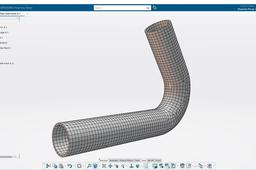
https://youtu.be/dnP31eBoB4g Hello All! Today I present you a SIMULIA 3DExperience R19x Tutorial! You will first design a pipe using CATIA. Then copy you will insert abstraction shape to copy the original part. The partitioning will be performed in the abstraction shape. We will add material and then apply a quad-dominant mesh to our part.
hex
fem
simulation
structural
pipe
mesh
simulia
catia
Surface Mesh Partitioning SIMULIA 3DExperience
Maxime Chagnot
in
FEM
2
0
Beginner
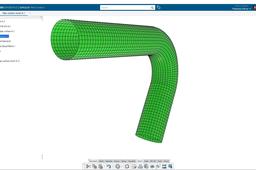
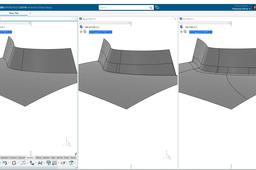
https://youtu.be/P2kIKmlpzbo Hello Hello! Here is another video about SIMULIA 3DExperience R19x! 2 weeks ago I published a tutorial for SOLID meshing in SIMULIA Application (https://youtu.be/dnP31eBoB4g). So this time it will be about SURFACE meshing. It is a bit different because the partitioning will be performed on Generative Shape Design with the feature split. You will copy the original design in the abstraction shape and apply a material to the 3DPart. Then you will finish by applying the mesh to the surface by using the constraint lines previously created from the split. Do no hesitate to add comments or send me message about new topics for instance! Please subscribe and visit our website: http://www.plm-technology.com/ Use Captions and Enjoy :)
partitioning
catia
3dexperience
quad
surface
mesh
pipe
simulia
[VIDEO] Web Dashboard Organization - 3DXP R2020x Cloud
Maxime Chagnot
in
Other
2
0
Beginner
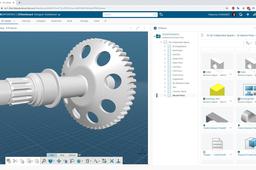
Hello 3DExperience Fans! The 3DExperience can be accesses on two levels, using a Web Interface for administrative work, or the Rich Client for content development. This video is an introduction to the Web Interface. You will see how to organize different dashboards by adding web applications. You can access to the 3DExperience’s web interface on your favorite web-browser even on lightweight devices such as tablets. You can use it for data management: Lifecycle, Bill of Material, classification, etc. Review product content (CAD/CAE/CAM) within the browser using the 3Dviewer. Accelerate collaboration: explain news ideas through social dashboarding, funnel ideas, etc. Supervise your company’s workflow with metric reader. Organize your projects creating planning and assigning tasks to the different actors. Unify all the different disciplines in your company, everybody can access the same level of information. It is possible to give restricted access to customers/employees. ** Feel free to organize these dashboards as you want. This is just an introduction to what you can do on the Web Interface. Each application is powerful and could have a tutorial ** Please like, comment, share and subscribe 😊
dashboard
platform
simulia
enovia
interface
web
3dexperience
catia
Compression Spring (design and simulation)
Maxime Chagnot
in
FEM
2
0
Beginner
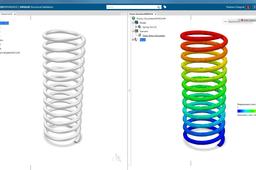
Here is a video showing you in less than 10 minutes how you can design a parametric model of a compression spring and run a quick structural simulation on it, in the 3DExperience on Cloud!
spring
fem
structural
design
simulation
3dexperience
simulia
catia
Structural Analysis Blade
Maxime Chagnot
in
FEM
1
0
Beginner
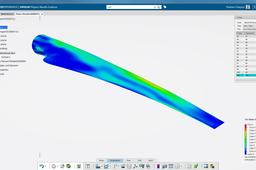
Here is a video that shows you the steps to run a simulation on the 3DExperience. From creating a 2D mesh, apply constraints an loads to simulate the scenario. The 3D model is designed in CATIA Generative Shape Design and simulated in SIMULIA Structural Scenario.
structural
blade
windmill
3dexperience
catia
simulia
simulation
fem
[VIDEO] Plastic Injection Filling 3DExperience
Maxime Chagnot
in
FEM
1
0
Beginner
Here is an example that illustrates the power of the 3DExperience 16X! The 3D model (plastic part) is designed in CATIA Part Design and the plastic injection is simulated in SIMULIA Platic Part Filling. Everything is done on only one platform: the 3DExperience
flow
fem
simulia
3dexperience
catia
injection
filling
plastic
[VIDEO] Remove Fillets for FEM - SIMULIA/CATIA 3DEXP
Maxime Chagnot
in
FEM
1
0
Beginner
Dear all, In this new tutorial, you will learn 3 different methods for removing 3 different fillets. This video is dedicated for those who works with Simulation like FEM analyst, but also Designer that prepare 3D Models.
fem
surfaces
simplify
remove
fillets
3dexperience
simulia
catia
SIMULIA 3DEXPERIENCE - Static Structural Analysis of Buckle Clip
Hanen Bdioui
in
Simulation & CAE
0
0
Expert
https://www.youtube.com/watch?v=K60xNlVYh6U&t=2s
clip
buckle
static
3dexperience
simulia
analysis
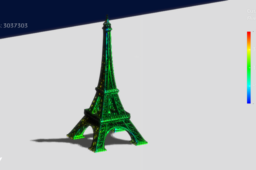
Wind load with Eiffel Tower in #Simulia #xFlow #paris
Hanen Bdioui
in
Simulation & CAE
0
0
Expert
https://www.youtube.com/watch?v=K52-IPzDUUs
abaqus
simulation
analysis
xflow
simulia