Learn about the GrabCAD Platform
Get to know GrabCAD as an open software platform for Additive Manufacturing
Visit our new homepage
Home
Control
Shop
Streamline Pro
Partner Program
Print
Community
Вход
Library
Challenges
Groups
Questions
Tutorials
Engineers
Blog
Вход
3D Comparison
Industrial Design Engineer
Follow
214
followers
Romania
Tutorials
About
Models
66
Tutorials
129
More
Followers
214
Following
16
Likes
6
Following
16
Followers
214
Likes
6
Tutorials
Sort by:
Recent
Recent
Most liked
Most viewed
Most commented
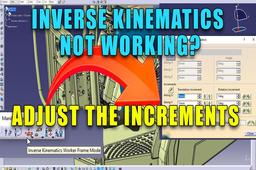
CATIA V5 - Inverse Kinematic not working on the Manikin
3D Comparison
in
Modeling
0
0
Beginner
If you ever wonder why the IK is not working with the Manikin, adjust the compass increments
CATIA
inverse kinematics
compass
increments
manikin
catia v5
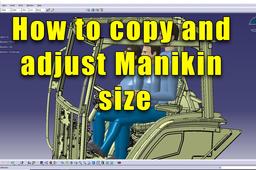
How to Copy and Adjust Manikin size
3D Comparison
in
Modeling
0
0
Beginner
Follow-up of my previous tutorial regarding the ergonomics of a tractor cabin
CATIA
adjust
size
manikin
catia v5
copy
Tractor Cabin -Ergonomics Analysis in #catiav5
3D Comparison
in
Modeling
0
2
Beginner
Case study using a detailed tractor cabin model
CATIA
manikin
posture
cabin
tractor
catia v5
ergonomics
CATIA V5 - Manikin Hand Grasp position
3D Comparison
in
Modeling
0
0
Beginner
CATIA V5 offers a helpful feature for simulating how a human hand would grasp an object using a digital manikin.
CATIA
adjustment
manikin
catia v5
posture
hand grasp
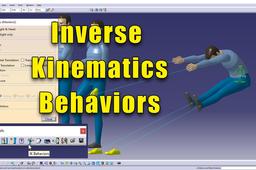
CATIA V5 - Manikin Inverse Kinematics Behaviors
3D Comparison
in
Modeling
0
0
Beginner
The Inverse Kinematics (IK) mode gives you the capability to manipulate the manikin's Inverse Kinematics with designed behaviors. This function is principally for moving the upper body in relationship to the manipulation of the arms and legs.
CATIA
behaviors
manikin
kinematics
inverse
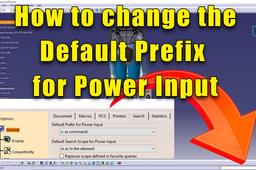
How to Change the Default Prefix for Power Input
3D Comparison
in
Modeling
0
2
Beginner
The default prefix is taken into account only if no prefix is typed in the power input box. If you leave the value none, it means that there is no default prefix.
CATIA
add
rapid
commands
power input
default prefix
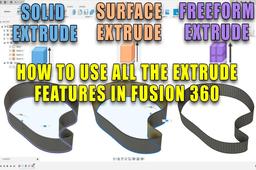
Fusion 360 - How to use the three types of Extrudes
3D Comparison
in
Modeling
1
0
Beginner
Fusion 360 offers three main Extrude functionalities for creating 3D shapes: Solid Extrude, Surface Extrude, and Freeform (T-Spline) Extrude. Each caters to different needs in your modeling process.
Fusion 360
t-spline
freeform
surface
solid
extrude
fusion 360
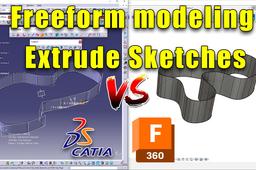
Catia V5 vs Fusion 360 Freeform Extrude Sketches
3D Comparison
in
Modeling
0
0
Beginner
A comparison between CATIA V5 and Fusion 360 regarding free form extrude
Fusion 360
catia v5
imagine and shape
catia
freeform
extrude
fusion 360
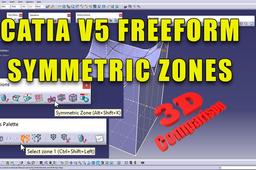
How to define Symmetric Zones in CATIA V5
3D Comparison
in
Modeling
1
0
Beginner
This is a very powerful tool within CATIA V5 that enables the design in real time of symmetric elements
CATIA
catia v5
imagine and shape
zones
symmetric
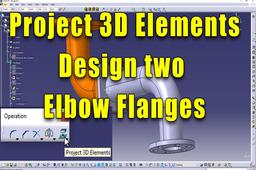
Project 3D Elements -
3D Comparison
in
Modeling
0
0
Beginner
Design Elbow flange in assembly context #catia
CATIA
part
design
assembly
sketch
catia v5
project 3d elements
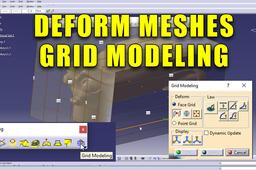
How to Deform Meshes in CATIA V5 - Grid modeling
3D Comparison
in
Modeling
1
0
Beginner
CATIA V5's Sculptor workbench does offer grid modeling functionalities specifically designed for mesh manipulation and deformation.
CATIA
sculptor
shape
catia v5
meshes
deform
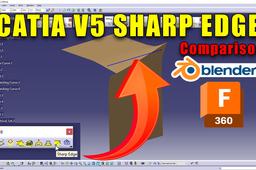
CATIA V5 - Sharp Edge on Meshes
3D Comparison
in
Modeling
0
0
Beginner
CATIA V5 does indeed offer the "Sharp Edge" tool within the Shape Sculptor workbench. This tool allows you to directly define sharp edges on meshes.
CATIA
catia v5
stl
meshes
sharp edge
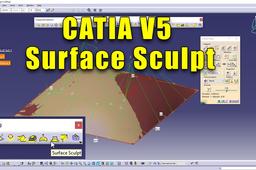
CATIA V5 - Using NURBS Surfaces to sculpt meshes
3D Comparison
in
Modeling
0
0
Beginner
Sculpting Surfaces in CATIA V5 with Shape Sculptor CATIA V5's Shape Sculptor workbench provides a powerful set of tools for creating and manipulating organic shapes using a freeform approach.
CATIA
shape sculptor
meshes
sculpt
catia surfaces
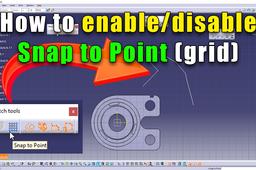
How to disable Snap to Point in CATIA V5
3D Comparison
in
Modeling
1
0
Beginner
When sketching, you can hold down the SHIFT Key button pressed down and this will temporary disable Snap to Point. I still recommend that you keep this feature disable and only activated when needed for special intended designs.
CATIA
sketching
sketch
enable
grid
disable snap to point
How to use Sketch Analysis in CATIA V5
3D Comparison
in
Modeling
0
0
Intermediate
Sketch analysis is a great tool that solves sketch issues
CATIA
constraints
catia v5
sketch analysis
1
2
3
…
9