Learn about the GrabCAD Platform
Get to know GrabCAD as an open software platform for Additive Manufacturing
Visit our new homepage
Home
Control
Shop
Streamline Pro
Partner Program
Print
Community
Anmelden
Library
Challenges
Groups
Questions
Tutorials
Engineers
Blog
Anmelden
3D Comparison
Industrial Design Engineer
Follow
216
followers
Romania
Tutorials
About
Models
66
Tutorials
129
More
Followers
216
Following
16
Likes
6
Following
16
Followers
216
Likes
6
Tutorials
Sort by:
Recent
Recent
Most liked
Most viewed
Most commented
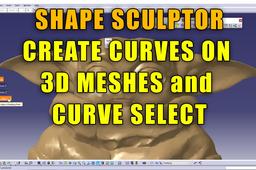
CATIA V5 - Shape Sculptor - Curve Select
3D Comparison
in
Modeling
0
0
Beginner
The Shape Sculptor tool in CATIA V5 is a powerful tool for editing and sculpting polygonal models. It offers a variety of selection tools, including the curve select tool. The curve select tool allows you to select the facets located inside a closed set of curves.
CATIA
3d print
stl
define
select
mesh
3d
curve
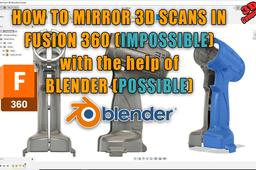
How to mirror 3D scans in Fusion 360
3D Comparison
in
Modeling
0
0
Beginner
Mirroring a mesh model in Fusion 360 is currently not supported due to limitations in the software's ability to handle the complex geometry of mesh objects. However, you can workaround this limitation by using Blender
Fusion 360
mesh
file
stl
3d scan
mirror
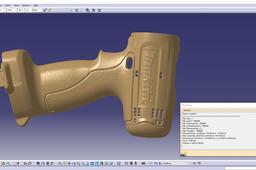
CATIA V5 - How to read STL files statistics
3D Comparison
in
Modeling
0
0
Beginner
STL files are binary files that store 3D data as a collection of triangles. They are widely used in 3D printing, CAD software, and other applications that deal with 3D models. CATIA V5, a popular CAD software, can import and work with STL files. However, it does not provide a direct way to read the statistical information about an STL file, such as the number of triangles, the bounding box, or the average triangle size
CATIA
mesh
volume
information
files
stl
catia v5
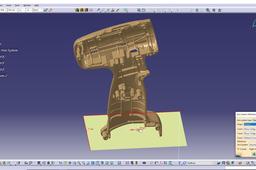
CATIA V5 - Change axis system of 3D scanned parts
3D Comparison
in
Modeling
0
0
Intermediate
When you are working with 3D scanned objects, the axis system usually needs to be adjusted.
CATIA
3d scan
modify
change
v5
catia
system
axis
CATIA V5 - Increase the planes/axis size
3D Comparison
in
Modeling
0
0
Beginner
To increase the size of the planes and axes in CATIA V5 for higher resolutions, follow these steps: Go to the Tools menu and select Options. In the Options window, navigate to the Display category on the left-hand side. Under the Visualization section, locate the Planes and Axes options. Click on the Edit button next to the Planes or Axes options.
CATIA
size
plane
change
CATIA V5 - Lathe machining basics
3D Comparison
in
Modeling
0
0
Intermediate
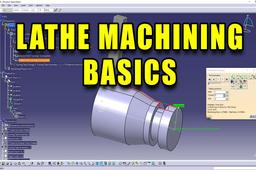
CATIA V5 provides a comprehensive set of tools for creating and simulating lathe machining operations. Lathe machining is a fundamental manufacturing process used to create cylindrical parts with various shapes and features. It involves rotating a workpiece against a cutting tool, which removes material to achieve the desired geometry.
CATIA
turning
example
machining
lathe
catia v5
CATIA V5 - How to use the measure tools
3D Comparison
in
Modeling
0
0
Beginner
CATIA V5 provides three main measure tools: Measure Between, Measure Item, and Measure Inertia. These tools allow you to accurately measure various aspects of your CAD model, such as distances, angles, lengths, areas, and volumes.
CATIA
length
angles
distances
tools
between
measure
Fusion 360 - Create a bowling ball
3D Comparison
in
Modeling
0
0
Beginner
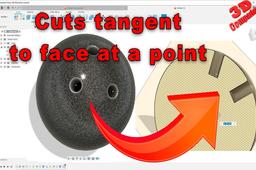
The video has been created with some references to CATIA V5 and SolidWorks workflows. Overall I find that Fusion 360 has some innovative workflows that improve the speed of the modeling process.
Fusion 360
ball
bowling
cut
tangent
design
fusion 360
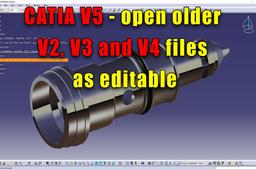
Catia V5 - Open V2, V3 and V4 files as editable
3D Comparison
in
Modeling
0
0
Beginner
The case study part was created in 2002.
CATIA
step
catia v5
v5
v4
migration
file
Is it worth to learn CATIA V5 in 2024?
3D Comparison
in
Other
0
0
Beginner
Should you learn CATIA V5 ? or should you go for SolidWorks? Or is its 3D experience?
2024
3d experience
solidworks
catia v5
CATIA V5 - Increase your productivity with Automatic Dimensional Constraints
3D Comparison
in
Modeling
0
0
Beginner
Dimensional constraints are a powerful tool in CATIA V5 that can help you to improve the accuracy and consistency of your designs. By automatically applying dimensional constraints to your sketches and features, you can ensure that your designs meet the required specifications and that dimensions update correctly as your design changes. This can save you a lot of time and effort, especially when working on complex designs.
CATIA
productivity
constraints
dimensional
automatic
catia
CATIA V5 - Project Sketches on surfaces
3D Comparison
in
Modeling
1
0
Beginner
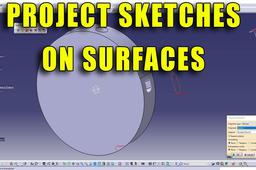
Projecting sketches on surfaces in CATIA V5 is a common task in surface modeling. It allows you to transfer 2D geometry to 3D surfaces, making it possible to create complex shapes.
CATIA
catia v5
surface
sketches
project
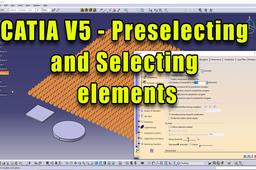
CATIA V5 - Preselecting and Selecting elements
3D Comparison
in
Modeling
1
0
Beginner
Preselection and selection of elements in CATIA V5 are essential for various operations, such as creating, editing, and manipulating objects. They allow you to select specific elements, such as faces, edges, or components, to perform desired actions.
CATIA
options
edges
features
faces
elements
preselecting
selecting
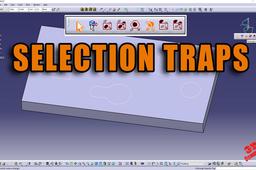
CATIA V5 - Overview of the Selection Traps
3D Comparison
in
Modeling
0
0
Beginner
By default, Rectangle Selection Mode is active but it will be deactivated as soon as you select another mode. In fact, these selection modes are exclusive and only one mode at a time can be active. If you select a mode other than the default one then deselect it, then the default mode is automatically activated.
CATIA
multiple
hotkey
intersecting
rectangle
traps
selection
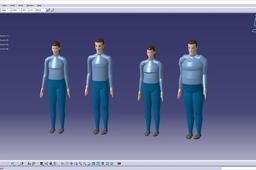
CATIA V5 - Human Builder workbench introduction
3D Comparison
in
Modeling
1
0
Beginner
Human Builder is a powerful tool for simulating human interactions with products in the virtual realm. It's based on a robust human modeling system that enables designers to conduct detailed human-centered design studies before a workplace or product even exists physically. Human Builder provides highly accurate simulations of human motions and interactions, ensuring that products are tailored to the needs and limitations of their intended users.
CATIA
basic
posture
change
manekin
builder
human
catia
1
2
3
4
5
…
9